
If you want accessible online storage, easy file sharing, and a predictable long-term cost, pCloud is the best cloud storage for photographers. Other viable options include Backblaze, especially for disaster-recovery backup, and Dropbox if collaboration matters more than long-term cost.
However, a serious photography workflow separates storage into layers. Your memory card captures the work. Local storage keeps your files fast and accessible. An offsite copy protects them against hardware failure or theft. It is also important to understand that cloud storage gives you an offsite copy, while a client gallery presents the finished photographs to your clients. That distinction matters. They solve different problems, and a professional photography setup may need both.
Best Cloud Storage for Photographers Overview
The right choice depends on what you expect the cloud to do.
| Service | Best for |
| pCloud | Best overall cloud storage |
| Dropbox | Collaboration |
| Backblaze | Backup |
| OneDrive | Microsoft 365 users |
| Google Drive | Starting point |
| Aftershoot Galleries | Client delivery |
If you want one cloud storage service that keeps your photography files easy to access and share, pCloud is our strongest overall pick. It combines cloud storage with synchronization between local folders and the cloud, plus a separate backup feature that can automatically protect selected folders. For photographers managing large libraries across multiple devices, that is a valuable combination.
pCloud fits especially well if you:
- Want your files accessible across several devices
- Want cloud storage without permanently filling up your laptop
- Keep an organized photo archive rather than relying only on emergency backups
- Expect to need several terabytes of storage for years
Check current pCloud plans and Lifetime pricing →
pCloud vs Dropbox for Photographers
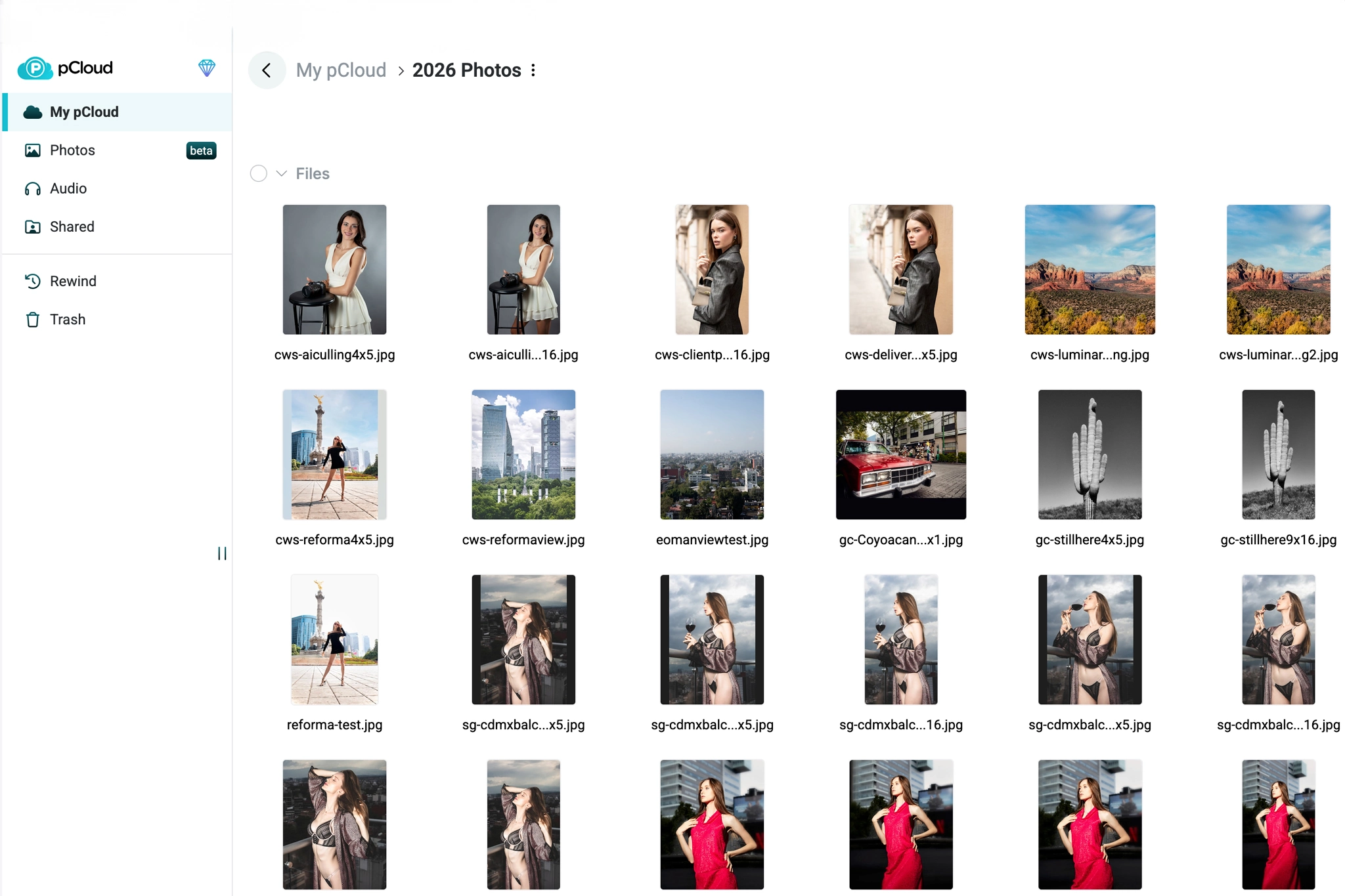
When it comes to cloud storage for photographers, our pick is pCloud, especially if the priority is long-term storage, predictable pricing, and the option to choose between paying for storage once or using a monthly subscription.
Dropbox is worth considering as an alternative, especially if your priority is collaboration and files need to move frequently between photographers, retouchers, and assistants.
pCloud becomes even more attractive when the goal shifts from temporary collaboration to building a photo archive you expect to maintain for years. At current pricing, its lifetime plans are hard to beat for photographers who want to avoid paying recurring storage fees indefinitely.
How Much Cloud Storage Does a Photographer Need?
The right amount of cloud storage depends on how many photos you produce and how many you usually decide to keep. A simple way to think about it is this:
- 500 GB: Reasonable for a hobbyist, a selective JPEG archive, or a photographer who keeps only active RAW projects in the cloud.
- 2 TB: The practical starting point for many professional photographers. It usually provides enough room to keep a substantial amount of RAW work online without feeling immediately constrained.
- 5 TB or more: Better suited to high-volume shooters, long-term RAW archives, or combined photo and video workflows.
A photographer buying 2 TB today could eventually need 5 TB or 10 TB, so the buying decision should come down to one question: Will 2 TB still meet my storage needs four or five years from now?
Cloud Storage vs Local Backup vs Client Gallery
It’s important to keep in mind that cloud storage shouldn’t completely replace a local backup, and professional client delivery deserves a different workflow.
- Working drive: The SSD or computer storage you actively edit from.
- Separate local backup: A second external SSD or hard drive that keeps another copy of your files.
- Offsite cloud: pCloud or another suitable cloud storage provider for an additional layer of protection.
When your photographs need polished presentation and a professional client experience, we recommend Aftershoot Galleries. This distinction matters because storage protects the work, while presentation helps sell it.
Bonus for readers: Save 15% on Aftershoot with promo code CLICKWITHSAL15 and explore our full review to see how it fits into a professional photography workflow.
Best Cloud Storage for Photographers FAQs
For most photographers, pCloud is our best overall cloud storage pick because it combines file access, synchronization, sharing, and long-term storage options. Dropbox is stronger for collaboration, while Backblaze is better suited to backup and disaster recovery.
The best cloud storage for professional photographers depends on the workflow. pCloud works well for long-term photo storage. Dropbox is better for team collaboration.
pCloud is usually the better choice for photographers focused on long-term storage and predictable costs, especially because it offers lifetime plans. Dropbox can be better for photographers who frequently collaborate with retouchers, assistants, or agencies.
Yes. Photographers can store RAW files in cloud storage, and keeping an offsite copy is a useful part of a backup strategy. Cloud storage should not replace a separate local backup, especially for important client or commercial work.
Portrait, travel, and commercial photographers may be comfortable with 2 TB for years, while wedding, event, video, or high-volume photographers may eventually need 5 TB or more.
Key Takeaways
- pCloud is our best overall cloud storage choice for photographers who want accessible files, sharing tools, and long-term storage options
- Cloud storage should complement local backup, not replace it. Important photographs should exist in more than one place
- Cloud storage protects and organizes files, while platforms like Aftershoot Galleries handle presentation and delivery
Affiliate Disclosure: Some links or promo codes in this article may earn us a commission if you buy through them, at no extra cost to you. That does not change our opinion. We recommend tools based on whether they actually fit the workflow.













Leave a Reply