
The best way to share photos with clients is usually through a private, professionally organized client gallery, especially when the client needs to browse images, select favorites, download files, share the collection, or order prints. But that does not mean every photographer needs a gallery for every job.
If a commercial client simply needs the finished campaign files, Google Drive, Dropbox, or WeTransfer can be perfectly fine for the task. The key is knowing when you are simply transferring files and when you are delivering a complete client experience. In this article, we’ll make that distinction clear so you can choose the right method.
Bonus for readers: Aftershoot can take a shoot from culling and editing through retouching and client gallery delivery. If that removes friction from your workflow, use CLICKWITHSAL15 for 15% off Aftershoot.
What Is the Best Way to Share Photos With Clients?
First of all, answer this simple question: Does the client need to experience the photographs, or simply receive the files?
That will usually give you the clearest answer. There is no reason to make a simple commercial handoff more complicated than it needs to be.
- Professional client gallery: Requires a gallery setup, but gives you a stronger presentation along with client selection, downloads, privacy controls, and potentially print or digital sales. This is usually the best way to deliver photos for portrait, event, and wedding photographers.
- Google Drive, Dropbox, or WeTransfer: The photography presentation is weaker, but these services make file sharing and permissions straightforward. They work well for commercial teams, asset sharing, and collaborators.
- Email attachment: Immediate and convenient, but poorly suited to large batches or full-resolution files. Email can still work for previews.
Ultimately, email and cloud storage services such as Google Drive are primarily file-transfer tools. A professional client gallery can be something more. It becomes the final chapter of a paid photo session, continuing the experience beyond the shoot while creating natural opportunities for additional downloads and upsells.
How Do Photographers Send Photos to Clients Professionally?
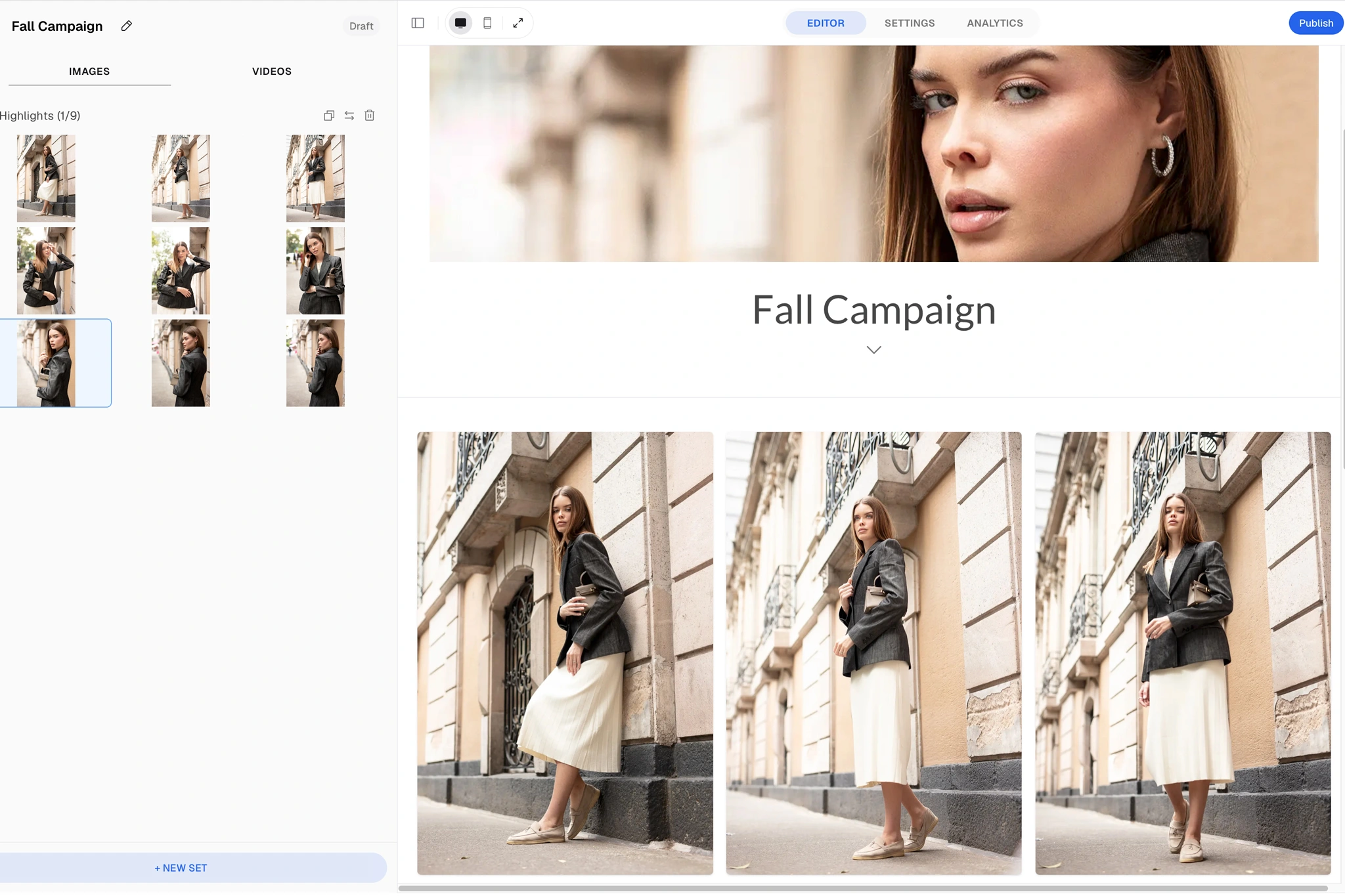
Now the important part is being deliberate about what your clients actually receive. Let’s break it down into six key stages:
1. Cull before the client sees the work
Culling starts before editing. The goal is to remove anything that weakens the final gallery, including:
- Missed focus
- Blinks and awkward expressions
- Test frames
- Unnecessary duplicates
- Near-identical images that add nothing to the final selection
For a deeper look at the selection process, read our guide to culling in photography.
2. Decide whether the client gets finals, proofs, or both
Choose one of the following delivery methods:
- Finished gallery: You choose and edit the photographs, then the client receives the completed collection.
- Proofing workflow: You provide a larger selection of lower-resolution or watermarked proofs. The client selects their favorites, and only those images receive final retouching.
- Hybrid: The package includes a defined number of finished images, with additional retouched photographs available for purchase.
The hybrid model can be especially useful for branding, fashion, product work, and other sessions where retouching time is significant.
3. Export for how the client will actually use the photos
For most finished photography deliveries, high-resolution JPEGs in sRGB are the practical default unless the client, publication, agency, or print lab specifies something else. A simple system is:
- Print: High-resolution JPEG.
- Web and social media: Smaller pixel dimensions, sRGB, clearly labeled.
- Proofs: Smaller, optionally watermarked, not positioned as final files.
And unless your agreement specifically includes them, keep RAW files out of the final client gallery. RAW files are working source files.
4. Rename the files
Camera filenames make your delivery look unfinished. Instead of DSC_46821.jpg use something like: ClickwithSal_FallCampaign_001.jpeg.
For larger jobs, organize galleries or folders by a structure the client can understand immediately:
- Portraits
- Details
- Look 01
- Look 02
- Ceremony
- Reception
- Web files
- Print files
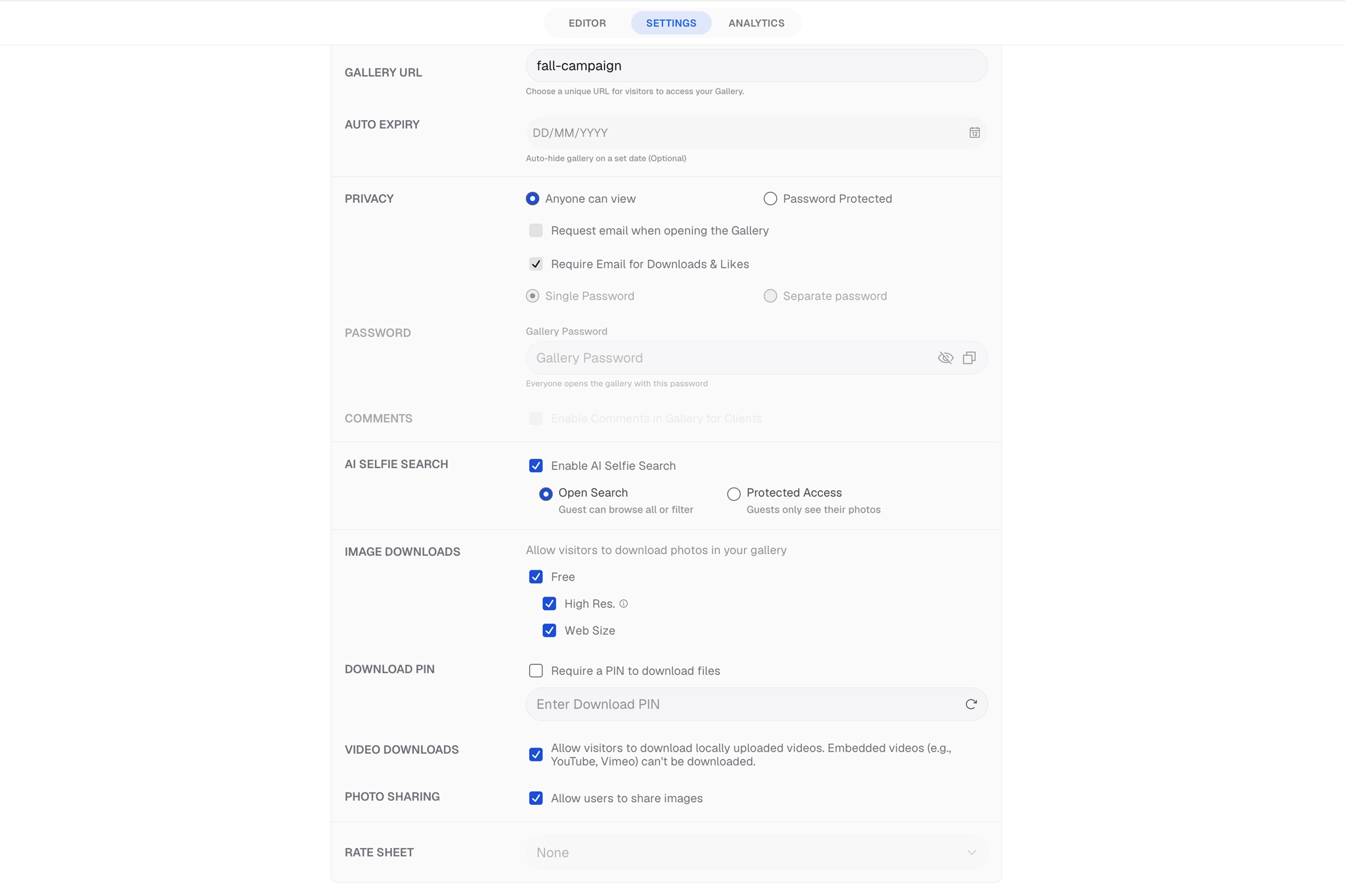
5. Set privacy and download controls before sending
Password protection is especially relevant for:
- Boudoir
- Private family work
- Unreleased commercial campaigns
- Galleries containing children
- Client proofing before publication
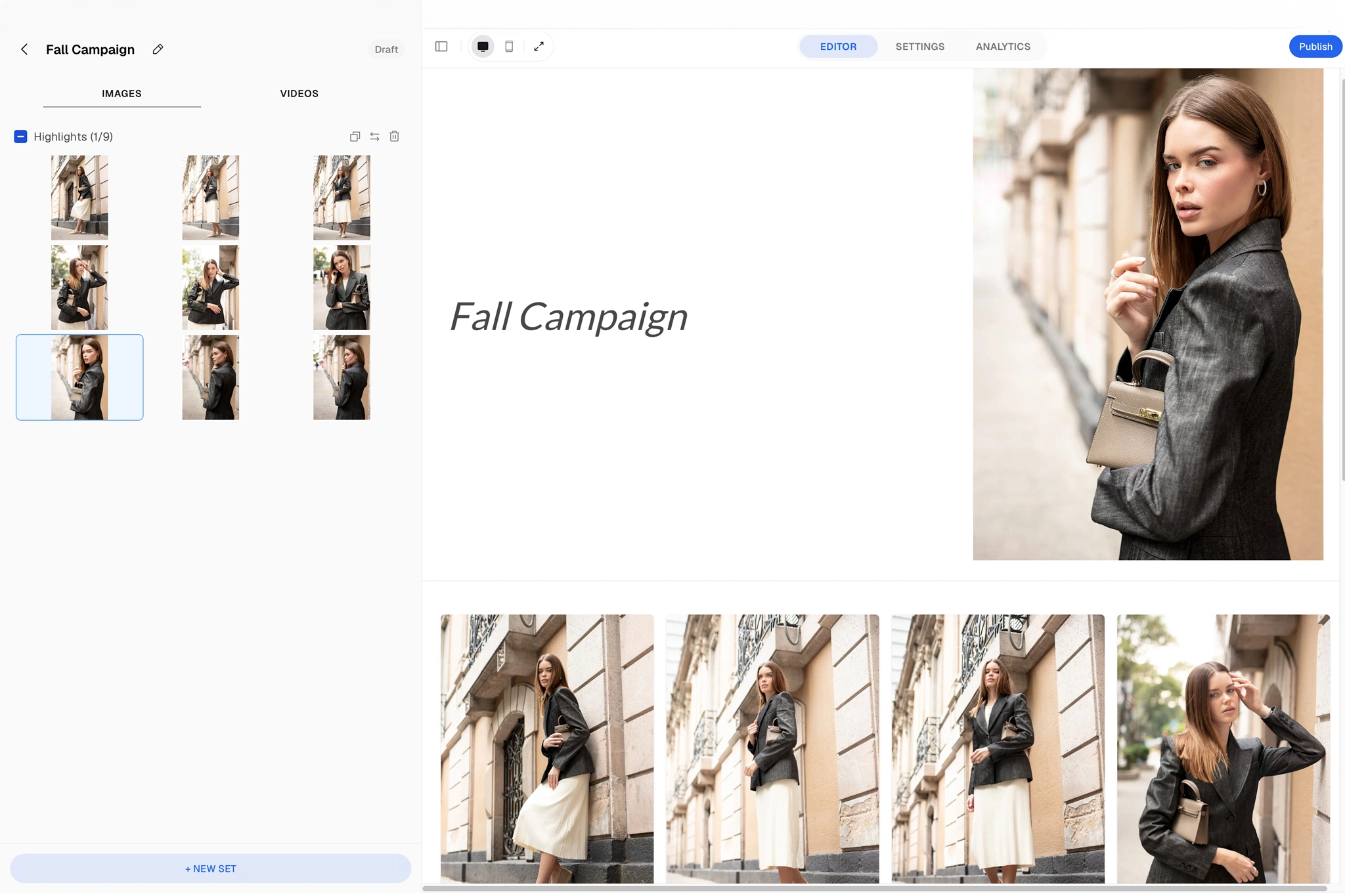
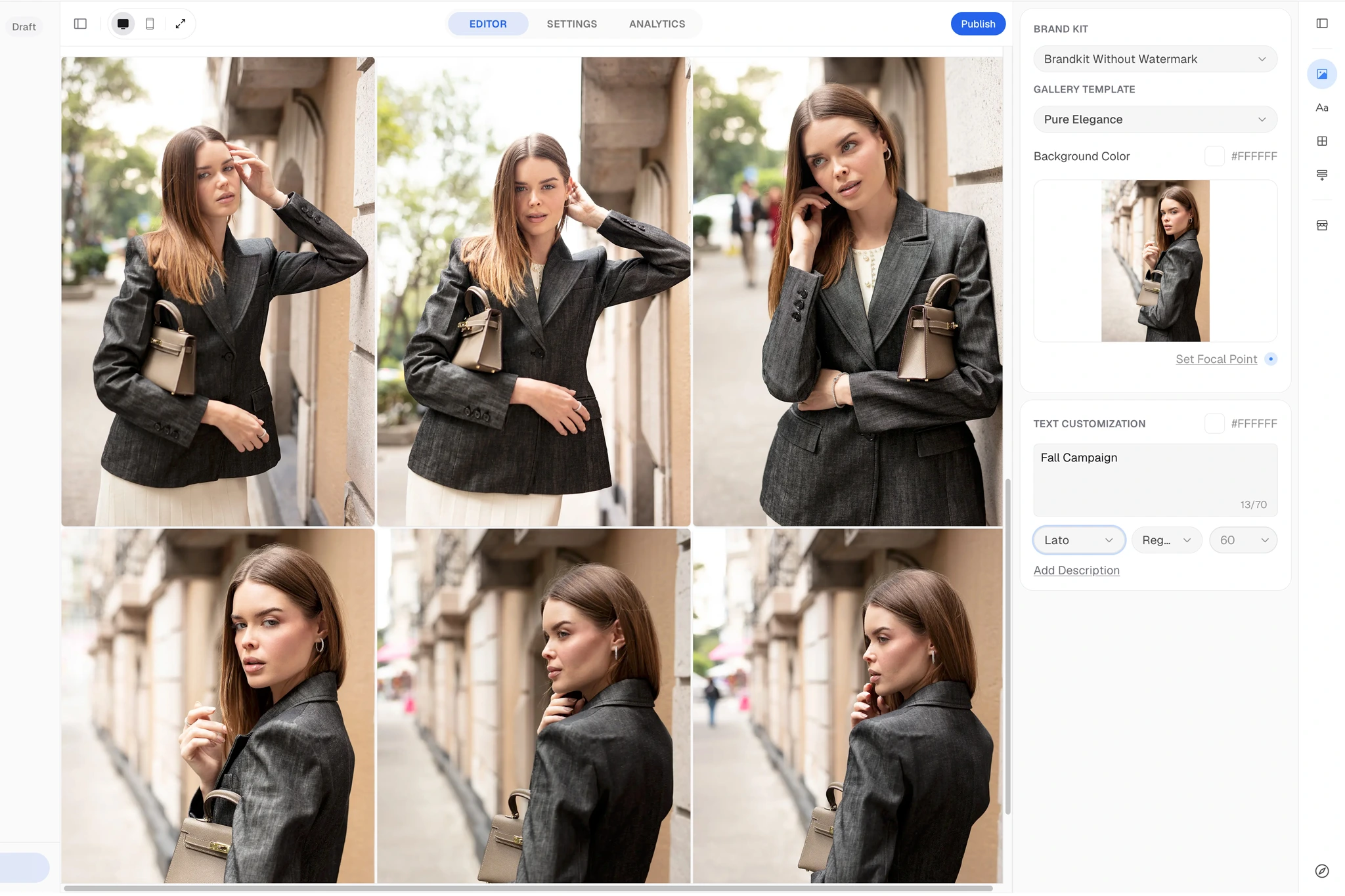
Aftershoot Galleries currently supports password protection, client favorites, comments, downloads, photo and video delivery, and print-selling functionality.
Your client should not be your QA department. Before you send the gallery, check:
- Image count
- Image order
- Crop previews
- Passwords
- Watermarks
- Download permissions
- Section names
- Mobile navigation
Open the gallery as if you were the client and make sure the entire experience works before you send the link.
6. Send one clear delivery message
The delivery email should make five things obvious:
- Where the photographs are
- How to access them
- How to download or select them
- When access ends
- What to do if something does not work
If usage rights matter, repeat the essential license terms there as well.
File Transfer vs Professional Gallery
Use Google Drive, Dropbox, or WeTransfer when the client simply needs the files. This makes the most sense for:
- Collaborators
- Agencies
- Marketing departments
- Internal company teams
Use a professional client gallery when the photographs are part of the client experience, or when the workflow continues after delivery. For portrait, wedding, family, and event photography, we would definitely recommend a gallery. Clients can browse the collection instead of navigating folders, while gallery-specific tools can extend the workflow into favorites, selections, downloads, proofing, and print sales.
Aftershoot Galleries currently supports direct gallery links, QR codes, and email invitations. Clients can browse, favorite, proof, and download images directly from the gallery, while photographers retain more control over how the final work is presented and delivered.
One of Aftershoot’s biggest advantages is the ecosystem. Photographers can move from culling and editing to client delivery without stitching together several different platforms. Use code CLICKWITHSAL15 to save 15% on Aftershoot.
How Many Photos Should a Photographer Deliver?
There is no universal number. The right number is the number of distinct, useful, strong photographs promised in your package. Delivering more images does not automatically create more value if those images are repetitive or weaker. It is also important to set clear expectations with clients about editing versus retouching, as basic editing is different from detailed retouching and can require very different amounts of time. But to ensure a smooth process, set clear delivery expectations before the shoot.
- Approximate or minimum image count
- What edited means
- Number of fully retouched finals
- Turnaround time
- Client selection deadline
- RAW file policy
- Pricing for additional edits
- Usage rights and licensing
Simple Client-Facing Clause

Adjust the numbers to your actual package

Your gallery will include a curated selection of at least 50 professionally edited high-resolution JPEG images. The gallery will remain available for 60 days. RAW files and unedited images are not included. Additional retouched images are available for purchase.
The goal is clarity. Most photo delivery problems come from avoidable misunderstandings and common mistakes:
- Sending everything: More images do not automatically create more value.
- Sending RAW files: A RAW file is not a finished photograph. Deliver it only when the job specifically requires source files and the agreement reflects that.
- Ignoring mobile: Many clients will see the work on their phone before they ever see it on a large screen. Preview the experience accordingly.
- Hiding the expiration date: If access expires, tell the client clearly. A disappearing gallery should never be a surprise.
- Sending proofs without explanation: If the client needs to choose ten photographs, say exactly how many, how to choose them, and when you need the selection.
- Treating delivery like the end of the sales process: Delivery can actually be one of the best opportunities for the next transaction. It has commercial value because the client is actively engaged with the work.
The best client experience comes from connecting delivery with the rest of your workflow, from booking and communication to editing and follow-up. If you are building or refining that system, also check out our photography business guide.
How To Share Photos With Clients FAQs
For most portrait, wedding, family, and event photographers, the best way to share photos with clients is through a private online gallery. A professional gallery makes it easier for clients to browse, select favorites, download files, and potentially order prints, while cloud storage is better when the client simply needs the finished files.
Photographers commonly send photos through professional client galleries, Google Drive, Dropbox, or file-transfer services such as WeTransfer. The right method depends on whether the client needs a polished viewing and selection experience or simply needs access to the finished files.
Yes. Google Drive can be a professional delivery method for commercial clients, agencies, collaborators, and teams that mainly need organized access to finished files.
The right number depends on the package, type of shoot, editing requirements, and what was agreed with the client, with quality and useful variety being more important than delivering every usable frame.
Photographers generally should not send RAW files unless they are specifically included in the agreement. RAW files are working source files rather than finished photographs, so most client deliveries should consist of edited JPEGs or other agreed final formats.
Key Takeaways

- A professional gallery is usually the best option when clients need to browse, select, download, share, or purchase from a collection
- Google Drive, Dropbox, and WeTransfer are perfectly valid when the job is primarily a straightforward file handoff
- Cull and organize the photographs before delivery rather than sending every technically acceptable image
- Define image counts, retouching, turnaround times, and gallery expiration before the shoot
- Client delivery is part of the photography experience and can create opportunities for upsells and future bookings
Affiliate Disclosure: Some links or promo codes in this article may earn us a commission if you buy through them, at no extra cost to you. That does not change our opinion. We recommend tools based on whether they actually fit the workflow.













Leave a Reply