
Skylum Aperty is a portrait focused AI retoucher that actually delivers when you use it with intent. It is not an everything editor, but it was clearly built for photographers who care about nuance, precision, and the subtle touches that keep a portrait alive without pushing it into plastic territory. In this Skylum Aperty review we will test it on portraiture and fine art photography, highlighting where it performs exceptionally well, where it falls short, and whether it deserves a place in your editing workflow.
Update October 2026: Skylum has announced that Aperty will close on November 4, 2026. Our original hands-on testing remains below for photographers researching the software, but if you’re looking for an actively supported Skylum editor, Luminar is now the company’s primary photography platform.
What Skylum Aperty Actually Is
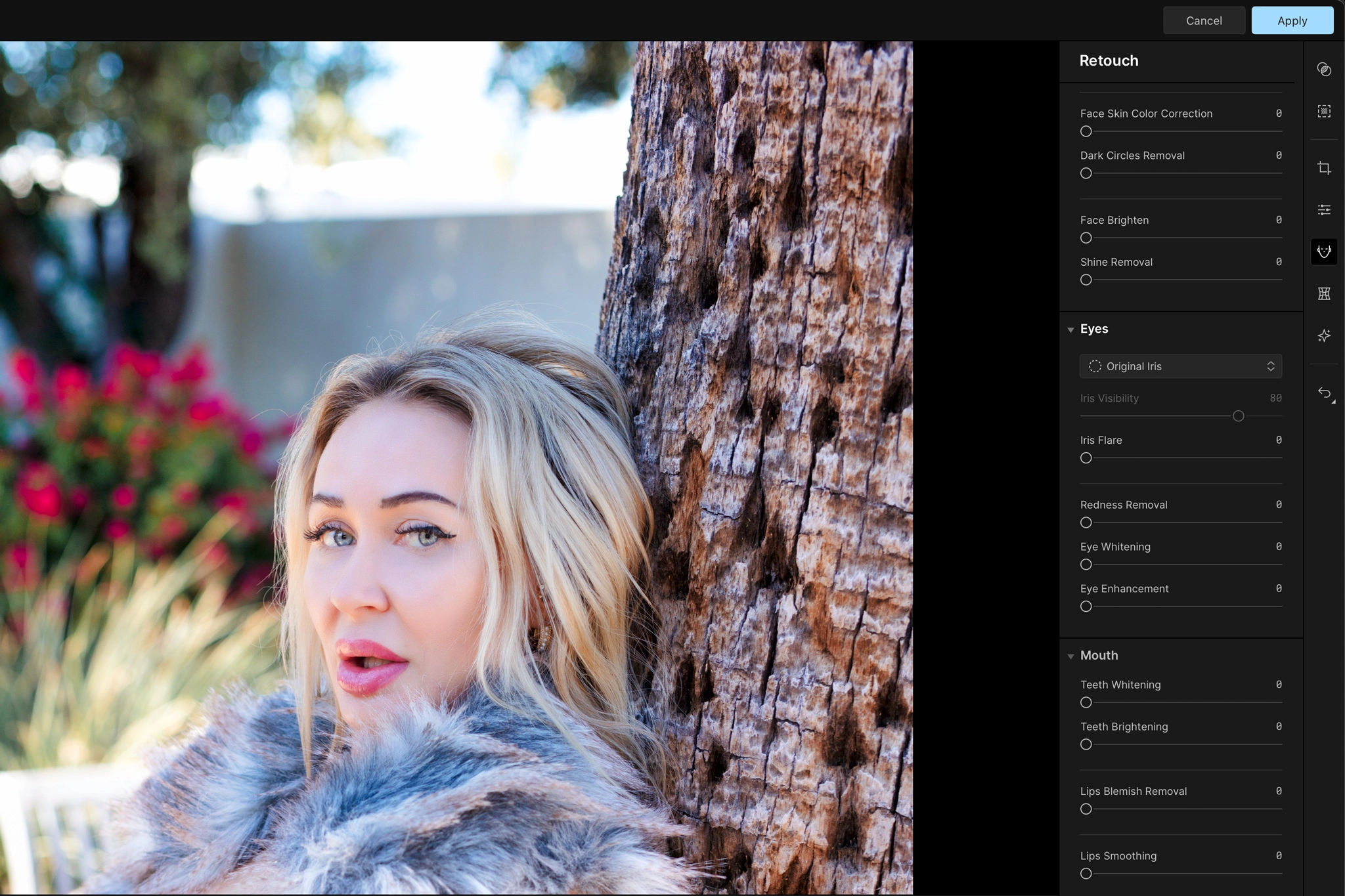
Aperty is a specialized AI driven portrait retoucher that can correct, enhance, or sculpt a face without erasing the subject’s identity. It maps up to 4,000 points across the face, giving it a level of precision that consumer grade retouchers never come close to. When you use it with intent and restraint the results fit naturally into a professional workflow, so this is not a click toy. That level of control is what stood out in our testing, along with a few areas where the software still needs refinement:
- Strengths: Blemished detection, texture-aware smoothing, makeup tools, luminosity masks, fast learning curve.
- Weaknesses: Noticeable lag on heavier edits, some sliders create delay before rendering.
Real Portrait Testing
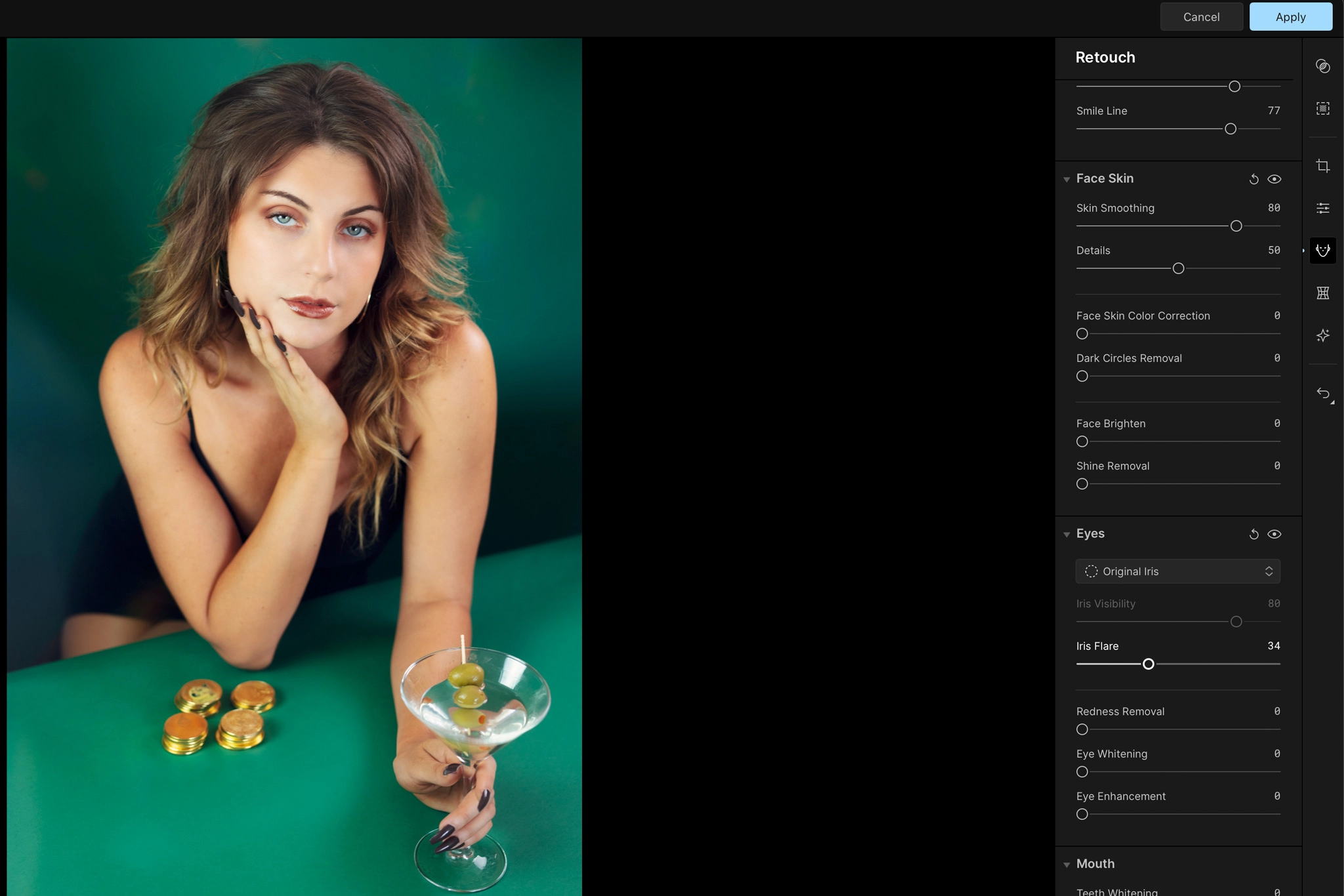
Sal tested Aperty on fine art portraiture where skin, tone, and identity actually matter, and these are the observations:
- Skin smoothing looked organic when keeping sliders low.
- Facial contouring preserved structure rather than flattening everything like some cheap apps.
- Eyes, lips, and brows stayed anatomically believable unless pushed aggressively.
- Reshaping tools are powerful, but easy to abuse, this is the part most photographers need discipline with.
Aperty is not positioned as a mass market tool and its pricing reflects that. It is built as a specialized retouching instrument. If you shoot portraits professionally and your time has real value, it makes sense to give Aperty a try.
Best Use Case
Aperty should not replace Photoshop, Lightroom, or Luminar. It works best as an extension that enhances your portraits and handles the tedious, time consuming parts of beauty retouching. As a finishing tool we see Aperty being especially valuable for:
- Beauty portraits
- Editorial headshots
- High-end client imagery
Bonus for readers: To get the most out of Aperty, consider pairing it with the Aperty Masterclass from Clever Photographer. The course walks you step-by-step through advanced portrait retouching workflows for truly professional results. Use code SAL for 10% off.
Final Verdict

Aperty was a strong specialist portrait editor in our testing, particularly for photographers who wanted detailed skin, facial, and makeup controls without spending the same amount of time retouching manually. But the recommendation has changed with Aperty closing on November 4, 2026.
If you already own Aperty, the testing above still shows where the software performs well. If you’re looking for an actively supported Skylum editor going forward, Luminar is the more practical place to start.
Key Takeaways
- Aperty officially closes on November 4, 2026
- Our original portrait testing showed strong skin, facial, makeup, and reshaping controls
- Skylum is directing photographers toward Luminar as its continuing photography platform
Affiliate Disclosure: Some links or promo codes in this article may earn us a commission if you buy through them, at no extra cost to you. That does not change our opinion. We recommend tools based on whether they actually fit the workflow.













Leave a Reply