
Dehancer Desktop is a standalone application built around film emulation, analog color grading, grain, halation, bloom, and print-style tonal response. More than a simple editing tool, Dehancer Desktop feels like a digital film lab, giving photographers deeper control over film character, exposure shaping, and color behavior. Choose Dehancer Desktop if you prefer an independent workflow focused on cinematic color and film simulation. If your workflow already lives inside Lightroom, Photoshop, Capture One, or Affinity Photo, the Dehancer plugin version will likely make more sense.
Bonus for readers: Want to try Dehancer for your own photos? Use promo code CWSPROMO10 for 10% off Dehancer.
What is Dehancer Desktop?

Unlike the Dehancer plugin, which runs inside host software, Dehancer Desktop gives photographers a dedicated standalone workflow built specifically for film emulation and analog-style color grading. Dehancer positions the app as a complete environment for photography-focused color work, featuring:
- More than 60 film profiles
- 80+ presets
- Project-based organization
- Filmstrip view
- Snapshots
- Non-destructive editing
- RAW and JPEG folder workflows
- Batch export support
If you’re a photographer who does not want to constantly open Lightroom, create TIFF copies, launch an external plugin, round-trip files, and repeat the same workflow one image at a time, then Dehancer Desktop is the stronger choice over the Dehancer Plugin.
Dehancer Desktop vs Dehancer Plugin
The real difference between Dehancer Desktop and Dehancer plugin comes down to workflow and how each one fits into the editing process.
| Feature | Dehancer Desktop | Dehancer Plugin |
| Runs standalone | Yes | No, requires host software |
| RAW/JPEG folder browsing | Yes | Host-dependent |
| Best for | Photographers wanting Dehancer outside LR | Photographers already commited to LR |
| Main risk | Another software in your workflow | Round-trip friction and host dependency |
The plugin might be the better option if your workflow is built around Adobe Lightroom or Photoshop. Otherwise, Dehancer Desktop still delivers that unmistakable film look without requiring a host editor.
Dehancer Desktop Pricing
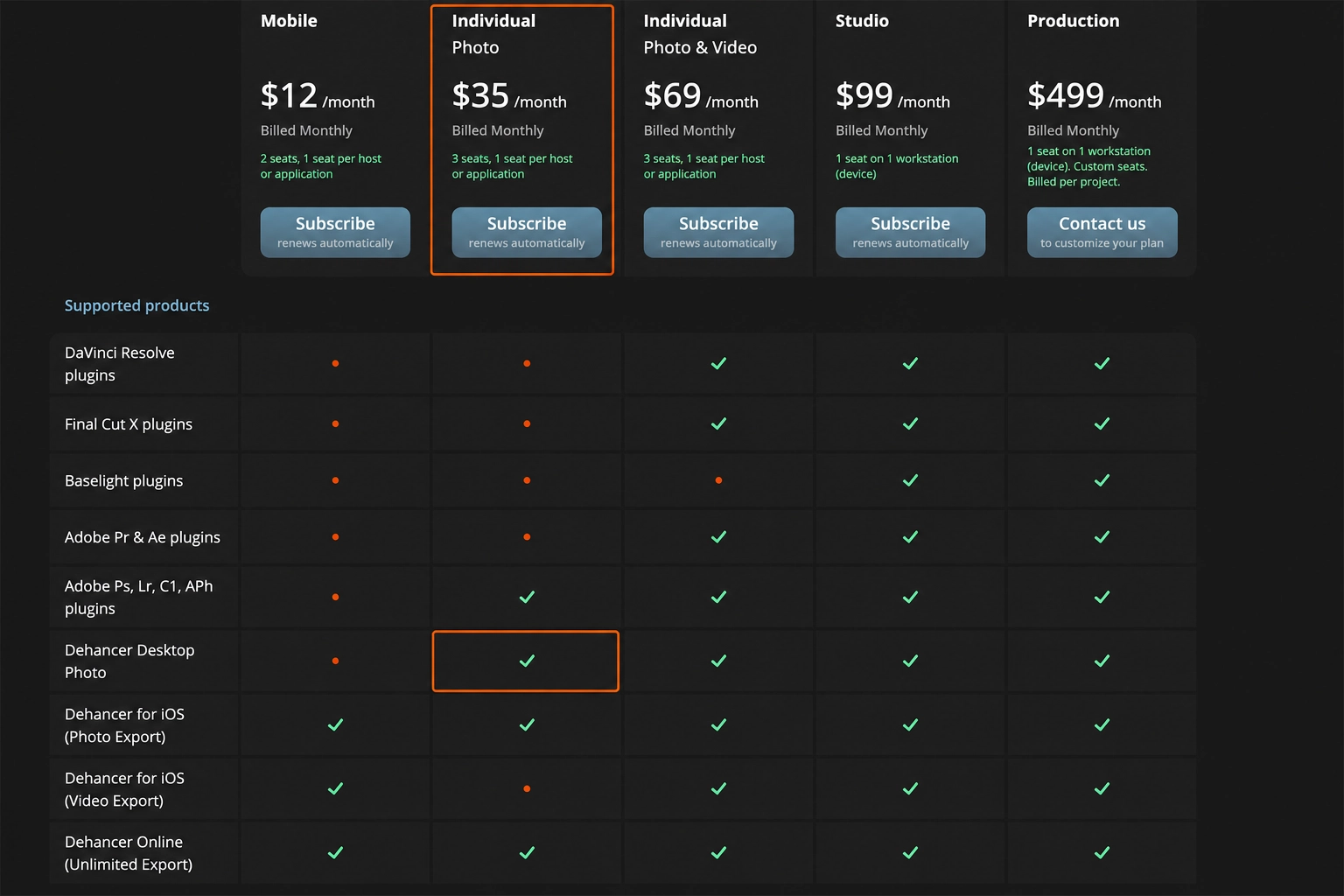
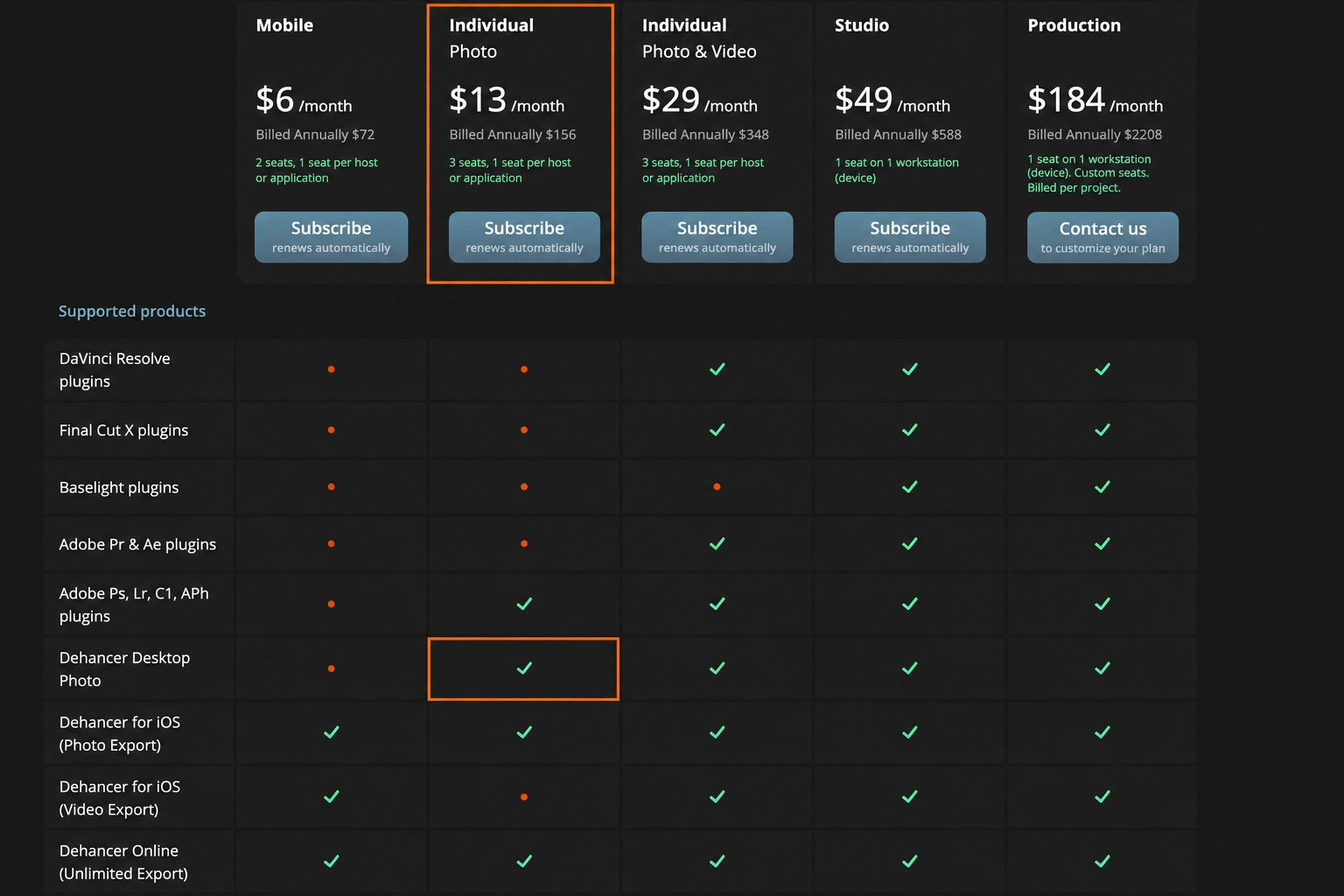
Dehancer Desktop is no longer just a subscription decision. There is also a lifetime option, which makes the choice more interesting if you already know you like the Dehancer look. Dehancer lists Desktop lifetime pricing at $449 for Individual and $999 for Studio.
| Plan | Price |
| Monthly Individual | $35/month |
| Annual Individual | $13/month, billed $156/year |
| Monthly Individual Photo & Video | $69/month |
| Annual Individual Photo & Video | $29/month, billed $348/year |
| Monthly Studio | $99/month |
| Annual Studio | $49/month, billed $588/year |
Use promo code CWSPROMO10 for 10% off Dehancer.
If you are only editing the occasional image, Dehancer may feel like a nice-to-have luxury rather than a necessity. But if you are chasing a repeatable visual style across your photography, the value becomes much easier to justify. Dehancer helps create a level of visual consistency that is difficult to maintain with scattered presets and disconnected edits.
Use Dehancer Desktop if you are:
- A photographer who wants film looks without living inside Lightroom
- A photographer or videographer building a consistent visual identity
- A print seller who wants moodier imagery
- A portrait photographer building editorial sets
Skip Dehancer Desktop if you:
- Mostly do clean commercial retouching
- Hate the film look
- Already own the plugin and love your host workflow
- Need advanced local adjustment tools inside the same software
Is Dehancer Desktop Better Than the Plugin?


Choose Dehancer Desktop if you want workflow freedom. Choose the lifetime plugin if you are locked into one editing platform.
Buy Dehancer Desktop if:
- You want a standalone film-emulation workflow
- You work from folders, projects, and selected image sets
- You want to batch apply looks across a series
- You dislike round-tripping files through Lightroom/Photoshop
Buy the Dehancer plugin if:
- You already live inside Lightroom, Photoshop, or Capture One
- You want Dehancer as one step in your existing edit
- You need the host software masking, retouching, catalog, or export system
Dehancer Desktop gives photographers a powerful and credible film emulation tool. Because it is built around real film profiles and analog-style controls, it delivers a believable film look with grain that adds texture instead of looking like a cheap overlay. The key is restraint. Grain, halation, and bloom can add depth and atmosphere, but when pushed too far, they can make an image feel forced instead of cinematic.
It is important to note that Dehancer Desktop will not replace a full editing system. It is not the best tool for:
- Heavy retouching
- Local skin cleanup
- Compositing
- Complex masking
- Sky replacement
- Full Lightroom-style catalog management
In our opinion, Dehancer Desktop works best as a film-look and finishing tool, not as the entire post-production system.
Dehancer Desktop FAQs
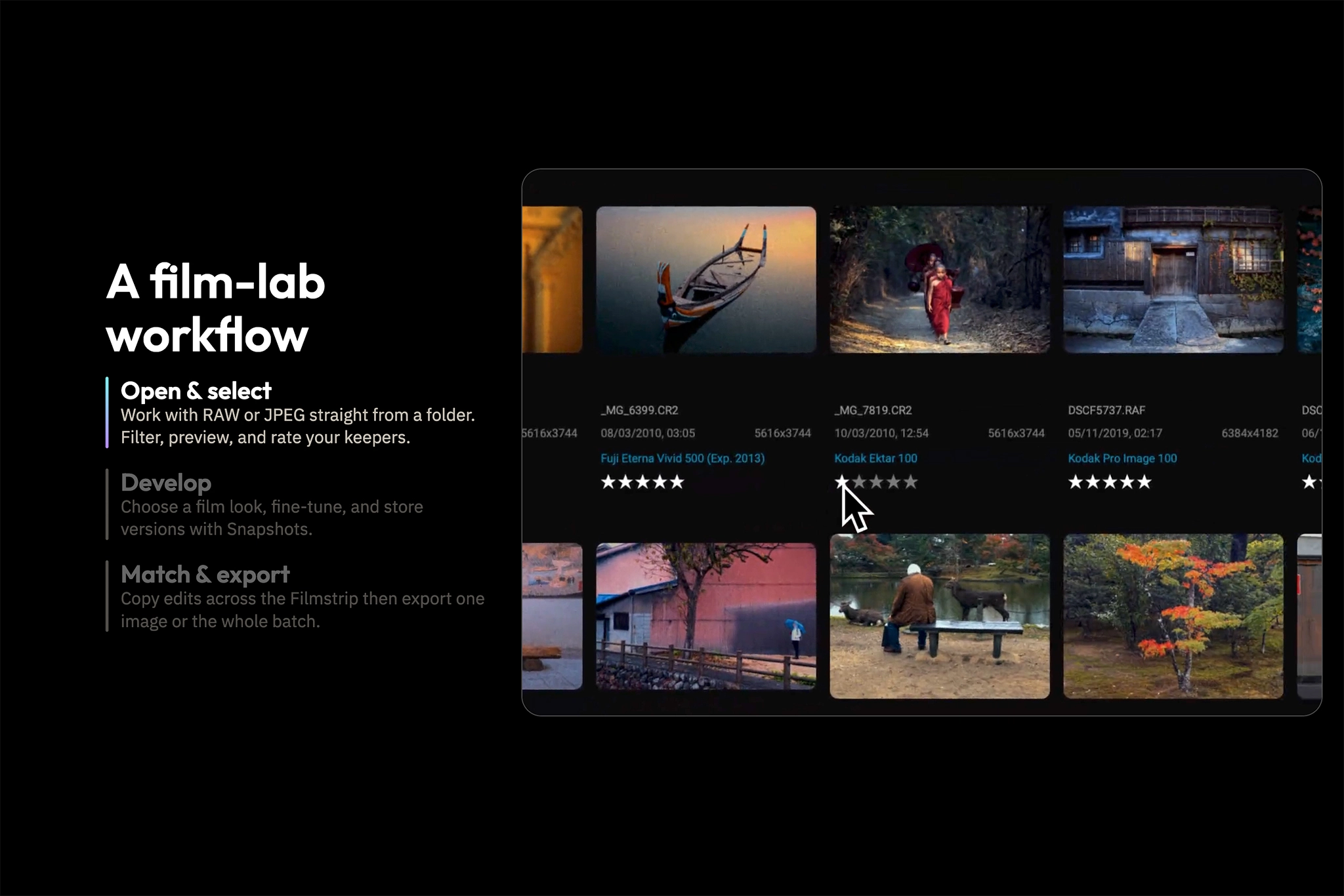
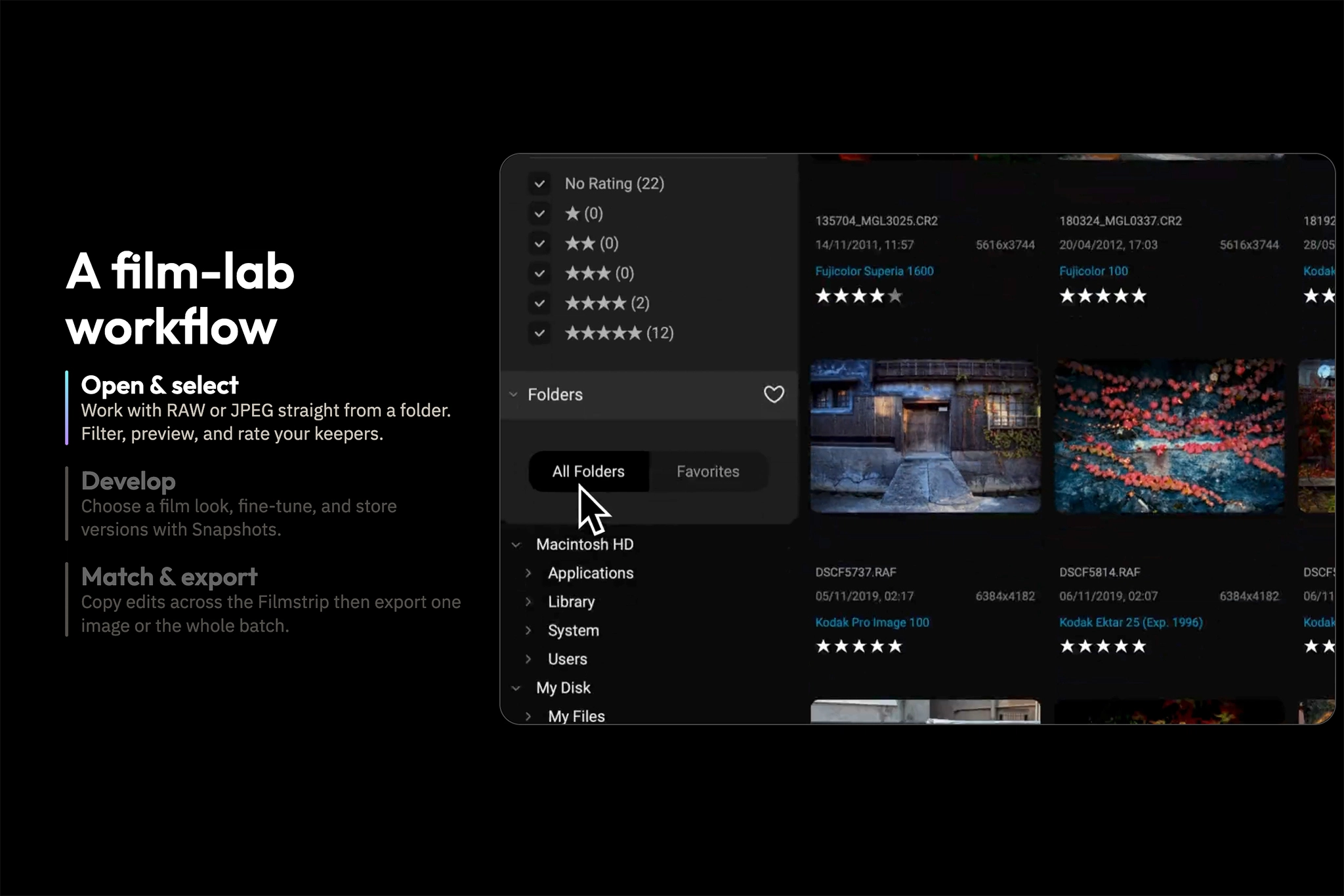
Yes. Dehancer Desktop is a standalone application for photography-focused film emulation and analog color grading. It does not need to run inside Lightroom, Photoshop, Capture One, or Affinity Photo.
It depends on workflow. Desktop is better if you want standalone folder/project-based editing. The plugin is better if you already work inside Lightroom, Photoshop, Capture One, or Affinity Photo.
Current Dehancer pricing lists Individual Photo at $35/month billed monthly or $13/month billed annually at $156/year.
Yes. Dehancer Desktop currently offers lifetime license options, including Individual and Studio plans.
Dehancer describes Desktop as supporting RAW or JPEG files from folders. Its Desktop launch materials also mention RAW processing and RAW converter support.
Use CWSPROMO10 for 10% off Dehancer.
Key Takeaways
- Dehancer Desktop is a standalone film-emulation photo editor
- The biggest difference between Desktop and the plugin is workflow freedom
- Dehancer makes the most sense for photographers building consistent visual identity
- Pricing is strongest if you use it regularly
Affiliate Disclosure: Some links or promo codes in this article may earn us a commission if you buy through them, at no extra cost to you. That does not change our opinion. We recommend tools based on whether they actually fit the workflow.













Leave a Reply