
Aftershoot AI Retouching has grown into a much more complete portrait cleanup workflow since we first tested it. It can handle repetitive corrections such as skin smoothing, blemish removal, glare cleanup, stray hairs, clothing cleanup, and background work while still giving photographers control over the final result. With Aftershoot 2.22, the retouching toolkit expands again with more targeted portrait corrections and improved background replacement.
Aftershoot 2.22 Retouching Update
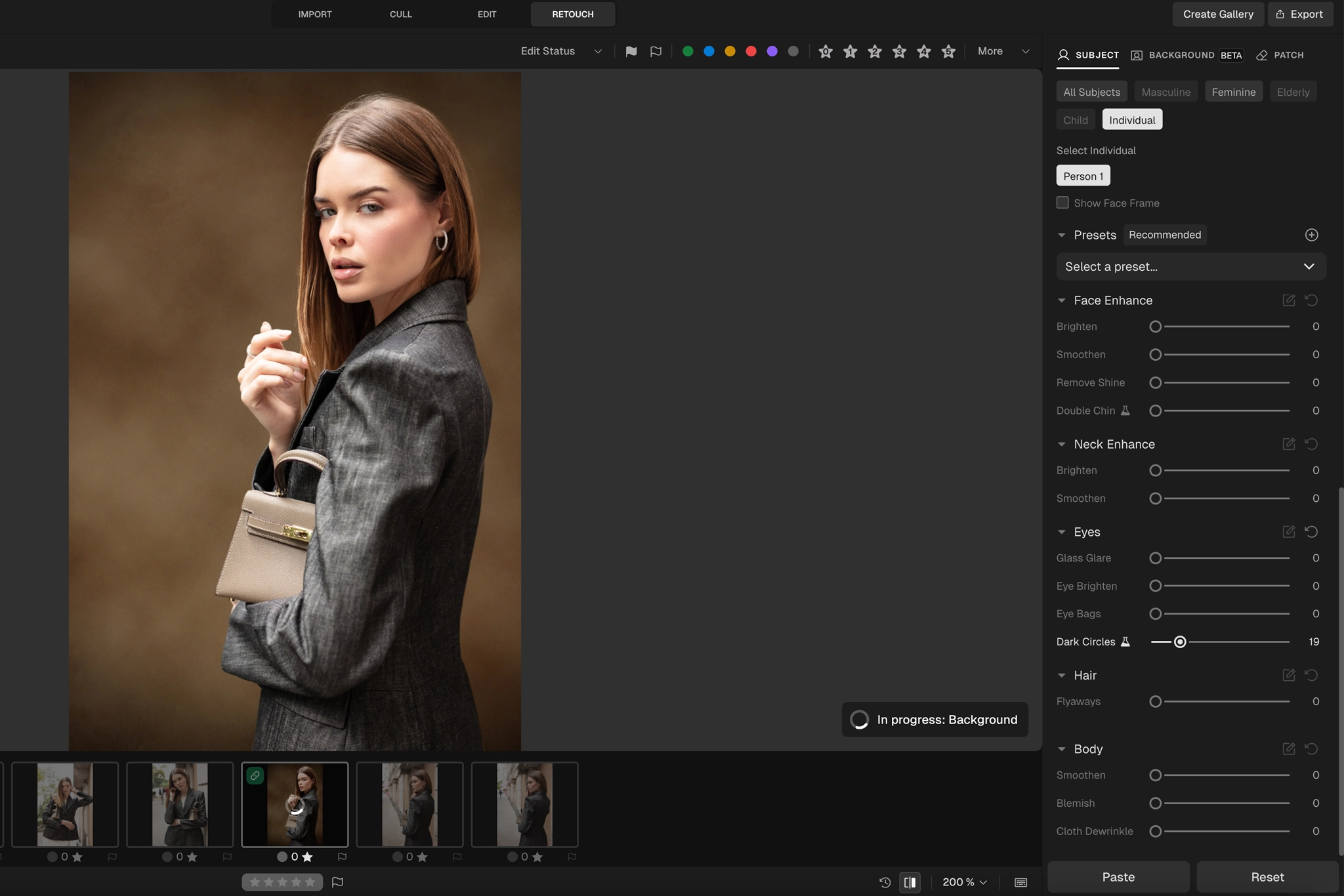
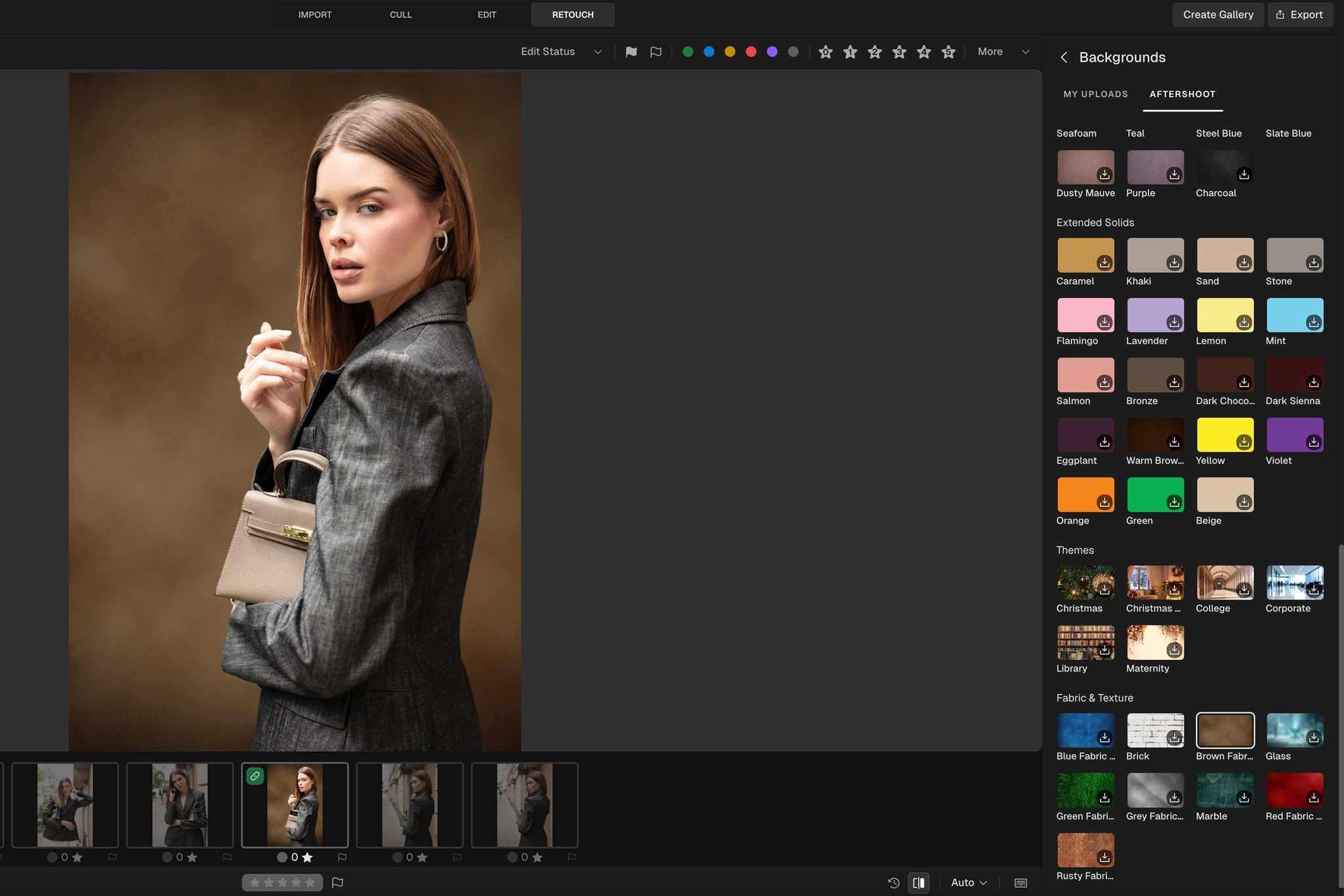
Aftershoot adds several more targeted tools for finishing portrait and studio work:
- Double Chin Remover (Beta): Uses AI-generated shadows to create a subtle contouring effect. It currently works on frontal-facing portraits, not side profiles.
- Dark Circles Remover: Reduces under-eye darkness while working with the existing skin tone.
- Neck Brightening & Smoothing: Helps create a more even transition between the face and neck.
- Smarter Background Replacement: Improves edges around hair, hands, and props and now supports multiple subjects.
- Background Shadow: Adds an AI-generated shadow to help subjects sit more naturally against a replaced background. Manual shadow controls are planned for a future update.
What Is Aftershoot AI Retouching?


Think of it as your post-processing assistant. It handles the boring stuff, skin smoothing, blemish removal, eye brightening, glare cleanup, without murdering your photo’s texture or vibe.
Key features:
- Skin Smoothing (face + body): Light-handed, not plastic. Especially solid in group shots.
- Blemish + Pigmentation Reduction: Natural blending, not nuked pores.
- Teeth Whitening: Subtle, not neon.
- Eye + Face Enhancements: Sharpen and glow without overshooting reality.
- Eyeglass Glare Removal: It reconstructs eyes under reflections.
- Stray Hair Removal: Finally.
- Object Removal: Clean up backgrounds with a simple patch tool.
- Selective Retouching: Target individuals in a group for custom tweaks.
- Batch Retouching + Presets: Create consistent edits across 100s of files fast.
- Correct Changes Tool: Undo AI edits in specific areas. Control stays in your hands.
Why It Matters For Real Shooters


If you’re a busy photographer, you know time is your biggest bottleneck. Aftershoot AI retouching not only speeds up your workflow but also keeps your edits consistent without sacrificing character. We tested it on a studio portrait set where lighting was controlled, the retouching handled:
- Skin texture without erasing it
- Spot removal with restraint
- Shine reduction without flattening the face
Bonus: We didn’t use Photoshop once. Use promo code CLICKWITHSAL15 to get 15% off your Aftershoot subscription.
How It Fits Into The Aftershoot Ecosystem
Aftershoot retouching pricing and availability can change, so check the current Aftershoot pricing page before deciding. The retouching feature is built directly into Aftershoot, so there’s no need to switch between tools. You can now move through culling, RAW editing, retouching, and client delivery with Aftershoot Galleries inside the broader Aftershoot workflow. . For a deeper look, read our full Aftershoot review here.
Pro Takeaways

- Use batch presets to lock in your style and apply across multiple shoots.
- Keep the Correct Changes Tool in your back pocket to avoid AI overreach.
- Always test on a variety of skin tones and lighting conditions to see how your style translates.
Use It, Save Time
Our final takeaway after testing Aftershoot retouching and exploring how AI can help photographers achieve more in a non-disruptive way is this: AI retouching doesn’t mean selling out your style, it means buying back your time. Especially if you’re shooting high-volume sessions and still manually retouching every file, respectfully, you’re playing yourself. This tool keeps your work clean, consistent, and most importantly, still yours.
Use our exclusive code CLICKWITHSAL15 for 15% off Aftershoot when you’re ready to upgrade.
Aftershoot AI Retouching FAQs
Yes, Aftershoot AI retouching is useful for professional photographers who need faster portrait cleanup. It works best for high-volume workflows like portraits, weddings, events, headshots, family sessions, and studio shoots where consistency matters. The strongest use case is not replacing your taste, but removing repetitive retouching tasks like skin smoothing, blemish cleanup, glare reduction, and stray hair removal.
When used with restraint, Aftershoot AI retouching can keep skin texture natural while reducing blemishes, shine, glare, wrinkles, and other distractions.
Aftershoot AI retouching is worth it if retouching is one of the slowest parts of your workflow. It makes the most sense for photographers who shoot volume, deliver client galleries, or want cleaner portraits without spending hours on repetitive edits.
Yes. Aftershoot 2.22 includes a Double Chin Remover that uses AI-generated shadows to create a subtle contouring effect. The feature is currently in beta and works with frontal-facing portraits rather than side profiles.
Yes. Aftershoot 2.22 improves background replacement with support for multiple subjects and cleaner handling around areas such as hair, hands, and props.
Affiliate Disclosure: Some links or promo codes in this article may earn us a commission if you buy through them, at no extra cost to you. That does not change our opinion. We recommend tools based on whether they actually fit the workflow.













Leave a Reply