
Using Photoshop in ChatGPT lets you edit images with plain-language prompts, but let’s avoid confusion from the start: Photoshop for ChatGPT is an Adobe app, not the full Photoshop platform. That does not make it useless. For photographers, it can be a fast way to test a visual direction, explore an edit, or build a rough creative version before committing real time to the final image. But if the image matters beyond casual social media sharing, the smarter move is to keep the useful parts and finish it inside a proper photo editing workflow.
August 2026 update: Adobe has replaced the previous standalone Photoshop integration with Adobe for ChatGPT, a unified plugin that connects Photoshop, Lightroom, Firefly and other Adobe tools inside ChatGPT.
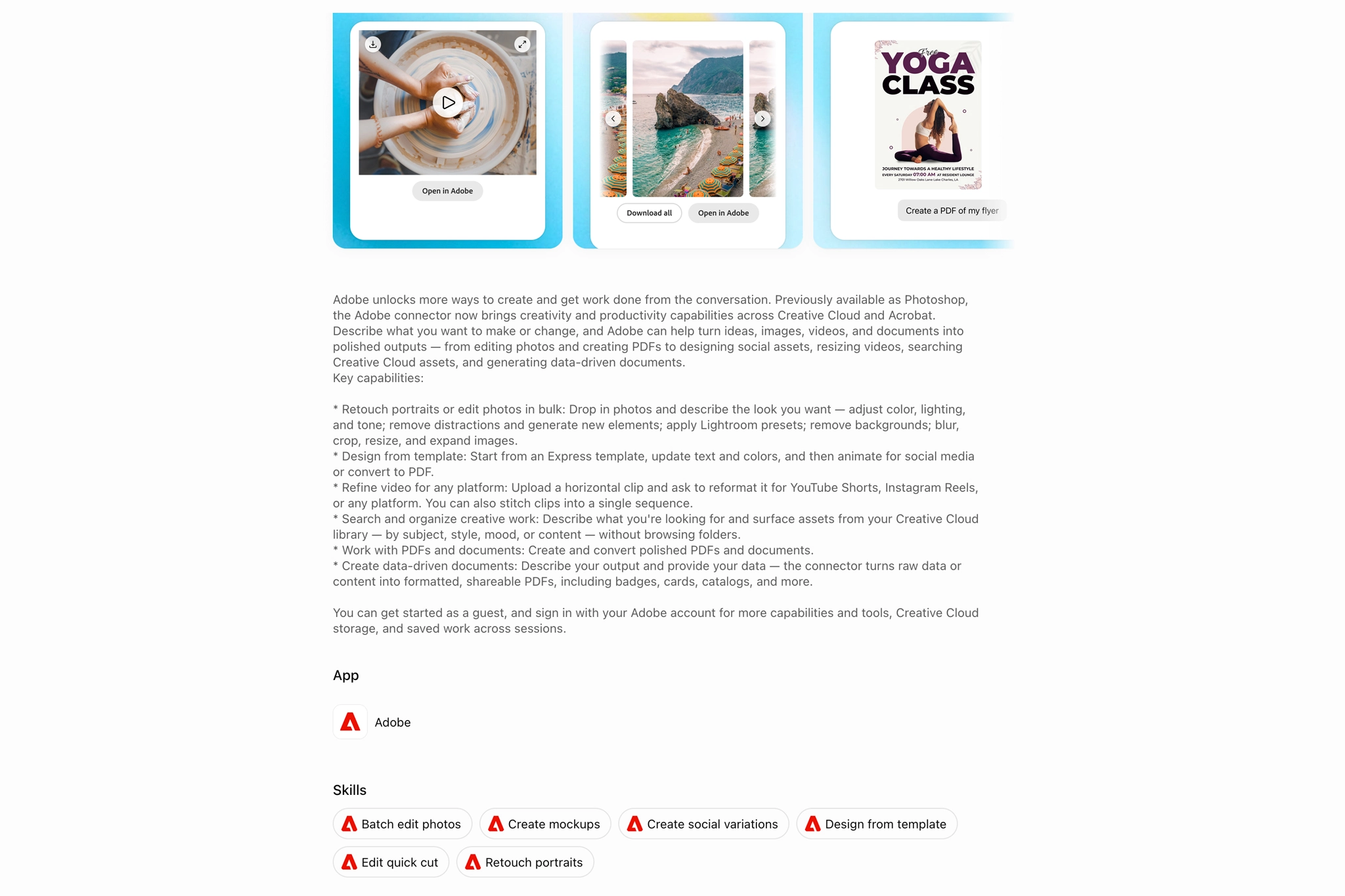
How Photoshop Editing Works in ChatGPT
- Open ChatGPT
- Go to settings
- Open apps
- Find Adobe Photoshop and connect it
- Start a new chat
- Choose Adobe Photoshop
- Upload your image
- Prompt the edit
- Review the result
- Refine with follow-up prompts
- Download the image
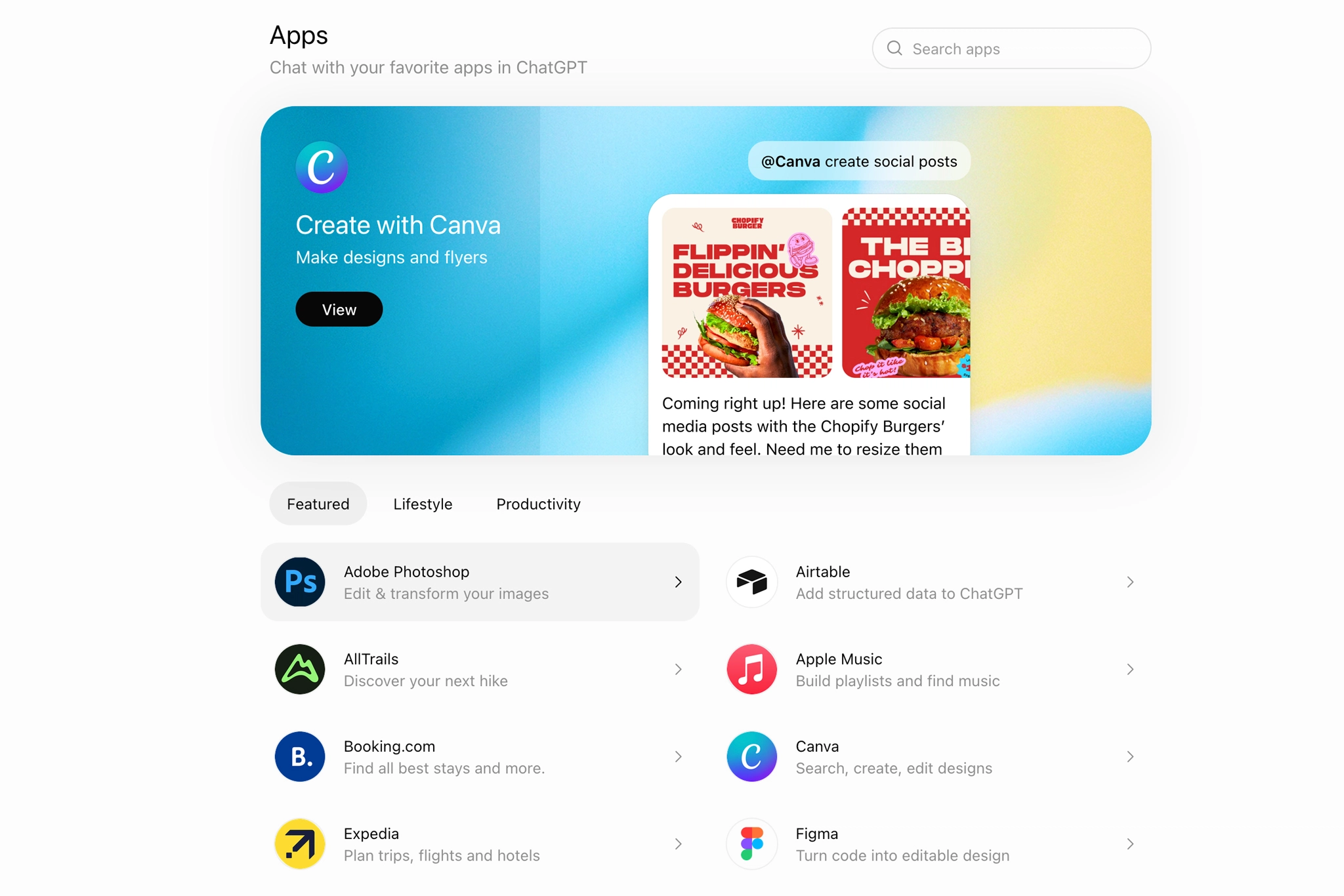


As mentioned in the intro, Photoshop in ChatGPT is not the full desktop version of Photoshop. It is an Adobe-powered app experience that supports image editing through language prompts. That matters because you should not treat it as a full Photoshop replacement. Use it with the right expectations. It can be useful for:
- Exploring different visual moods before committing to a final edit
- Removing simple distractions
- Adding or adjusting visual elements
- Applying creative effects
- Adjusting lighting and color direction
Do not just ask Photoshop in ChatGPT to “make it better”. That kind of prompt is too vague and usually leads to generic results. Use it more like a visual sketchpad. Give it direction. Tell it what mood you want, what should stay natural, what should become stronger, and what should not be overdone. The more specific your creative direction is, the better the edit has a chance of matching your intent.

Here are some strong prompts for using Photoshop inside ChatGPT across different photography styles:
Portrait Photography Prompt

Copy this into Photoshop in ChatGPT

Use Photoshop to make the subject stand out, soften the background slightly, warm the skin tones just a little, and keep skin texture natural. Do not make the face look plastic or change facial structure.
Travel Photography Prompt

Copy this into Photoshop in ChatGPT

Use Photoshop to enhance the subject separation, deepen the sky slightly, add gentle contrast, and keep the scene realistic. Do not make it look like an HDR preset.
Creative Photography Prompt

Copy this into Photoshop in ChatGPT

Use Photoshop to test a cinematic version of this photo with deeper shadows, warmer highlights, and a subtle film-inspired mood. Keep the edit believable.
What Photographers Should Use Photoshop with ChatGPT For
Photoshop in ChatGPT is useful when you want to test visual ideas before committing real time to a full editing workflow. It works well for quick edits, lower-stakes social content, thumbnails, and moodboards. But for photos that represent your brand, portfolio, blog, client work, or print work, do not treat it as the final stop.
After testing Photoshop in ChatGPT, here is what we recommend avoiding:
- Treating it like the full Photoshop: Photoshop in ChatGPT can be useful, but it is not the same as working inside the complete Photoshop desktop workspace.
- Trusting it with final skin retouching: It can smooth too much, flatten real texture, or slightly shift facial structure. It might work for a quick test, but for serious portrait work, use a dedicated AI-powered retouching tool.
- Using it for print work: Print is much less forgiving than social media. What looks fine on a small screen can fall apart when enlarged. If the image is going on a wall or into a client photo album, finish it with a proper photo editing workflow.
- Using vague prompts: The tool can follow direction, but it cannot replace visual judgment. Tell it the mood, lighting direction, color style, subject priority, and what should stay natural.
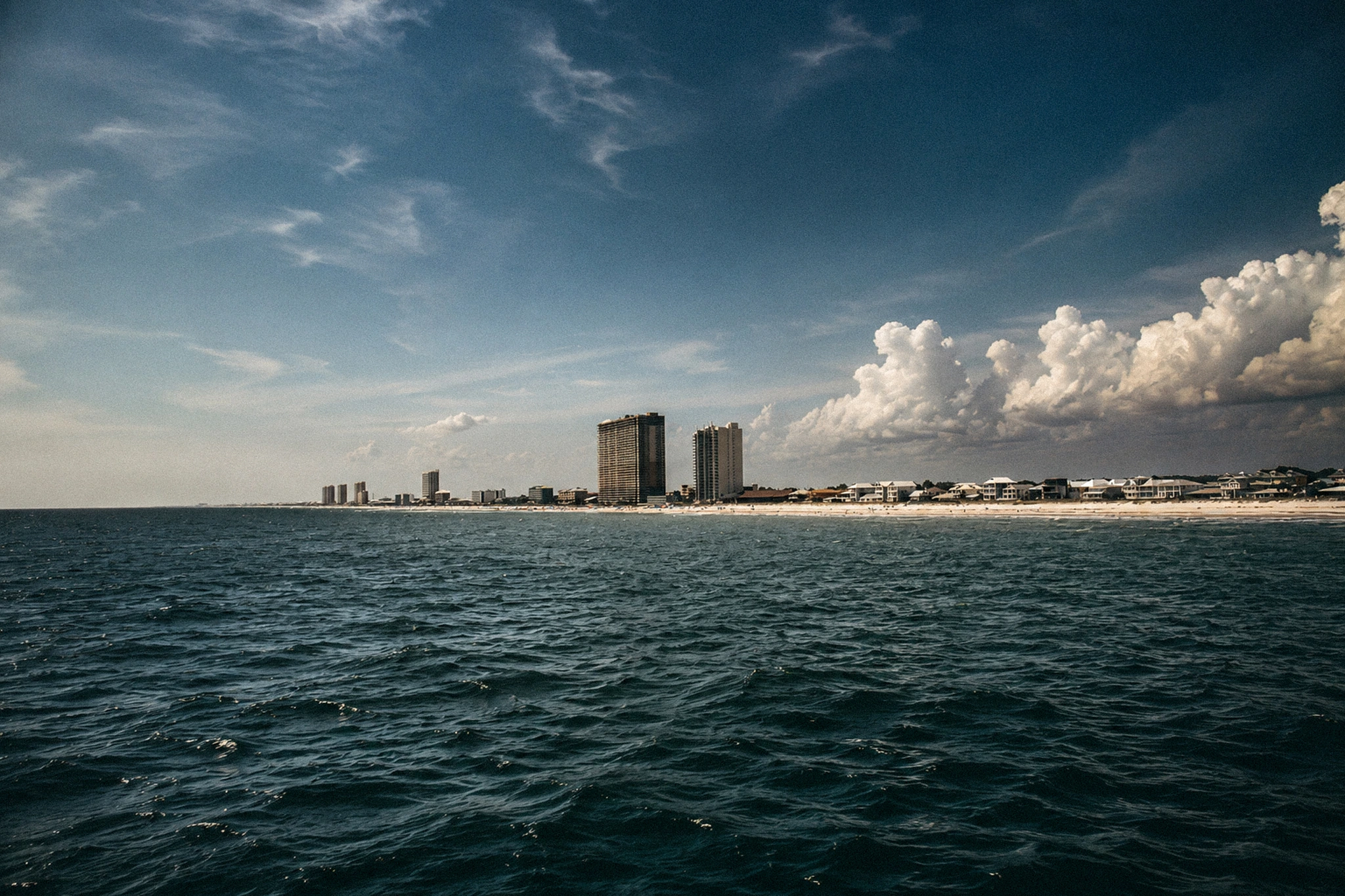

Bottom: Luminar Neo is where I shaped the photo into what I actually wanted it to feel like.
A Real Photographer Workflow
In the gallery example above, using Photoshop inside ChatGPT was useful for a quick creative test. It showed what the image could become under a clear direction. Still, Sal tested the RAW file in Luminar Neo and shaped the final image with more control, closer to the real conditions of the shoot while pushing the glow, and restrained color enhancement further. So yes, Photoshop in ChatGPT can help with fast edits, or visual tests. But for a more intentional finish, a full photo editing workflow gives you far more control.
Bonus for readers: If you also edit with Luminar Neo, Clever Photographer resources can help you shape a stronger creative direction. You can also explore LumiBot to get more out of Luminar Neo. Use code SAL for 10% off all Clever Photographer resources.

Since prompts are part of this workflow, check our free GPTs for photographers if you want to use AI with more direction beyond the editing process.
Is Photoshop with ChatGPT Good for Professional Photographers?
The answer is yes, but use it with boundaries. That means it makes sense for fast idea testing, brainstorming, and simple edits. But for more intentional or critical work, use the full desktop version of Photoshop or another professional editing software. A quick language-prompt edit can be useful for testing an idea, but it becomes too reductive for final work. If the image is going into a client gallery, portfolio, sales page, or print collection, AI can assist the process, but the final image still needs the photographer’s touch in post.

How To Use Photoshop with ChatGPT FAQs
Yes, ChatGPT can help edit photos when the Adobe Photoshop app is connected inside ChatGPT. Photoshop for ChatGPT can apply supported prompt-based edits, such as background changes, object cleanup, creative effects, lighting adjustments, and color direction.
No. Photoshop in ChatGPT is an Adobe app experience, not the full desktop version of Photoshop. It can be useful for prompt-based edits and quick visual tests, but it does not replace the complete Photoshop workspace or a full professional editing workflow.
Photographers can use Photoshop with ChatGPT for fast tests and simple edits. For final serious work, portfolio images, or prints, the image should still be finished in a proper editing workflow.
Final Takeaways
- Photoshop in ChatGPT is useful for testing visual ideas, quick edits, and mood direction
- It is not the full Photoshop desktop platform, so photographers should not treat it like a complete editing replacement
- The better the prompt, the better the test. But taste still decides whether the result is worth keeping
- For serious work, such as print files, portfolio images, or client galleries, the final edit still needs a proper professional editing pass
Affiliate Disclosure: Some links or promo codes in this article may earn us a commission if you buy through them, at no extra cost to you. That does not change our opinion. We recommend tools based on whether they actually fit the workflow.








Leave a Reply