
Since the May 28, 2026 update, Aftershoot is no longer only an AI culling and editing assistant. Aftershoot now connects culling, RAW editing, retouching, and Galleries into one post-shoot workflow, with increasingly capable manual controls for photographers who still want the final say.
Hey friends, as a fellow photographer, I completely understand how post-processing can be both essential and exhausting. That’s why I decided to try Aftershoot, to see how an all-in-one culling and editing platform can improve a photographer’s workflow. But let me be clear: Can Aftershoot AI save you time without replacing your artistry? Let’s find out in my in-depth Aftershoot review.
What Is Aftershoot?

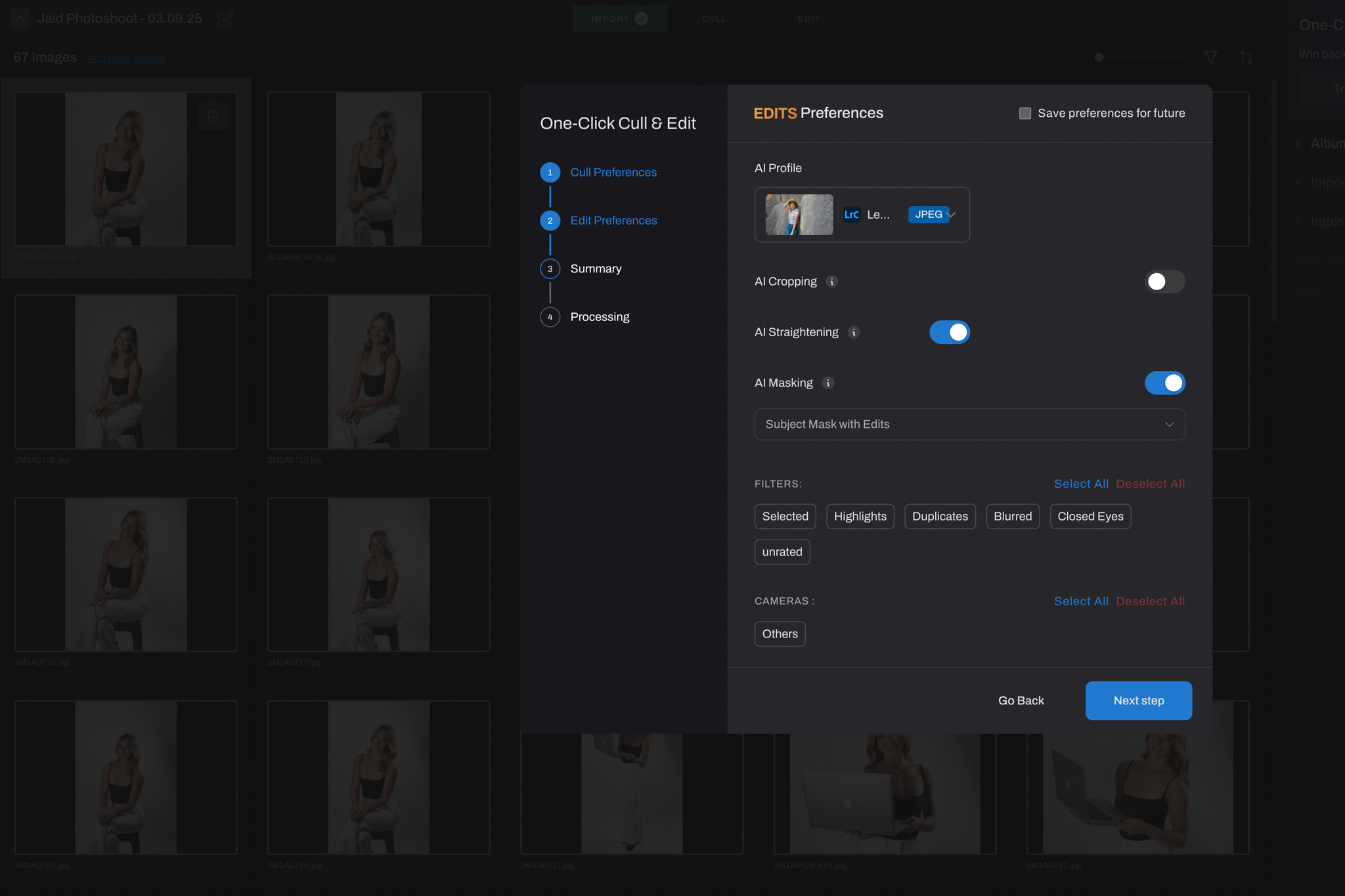
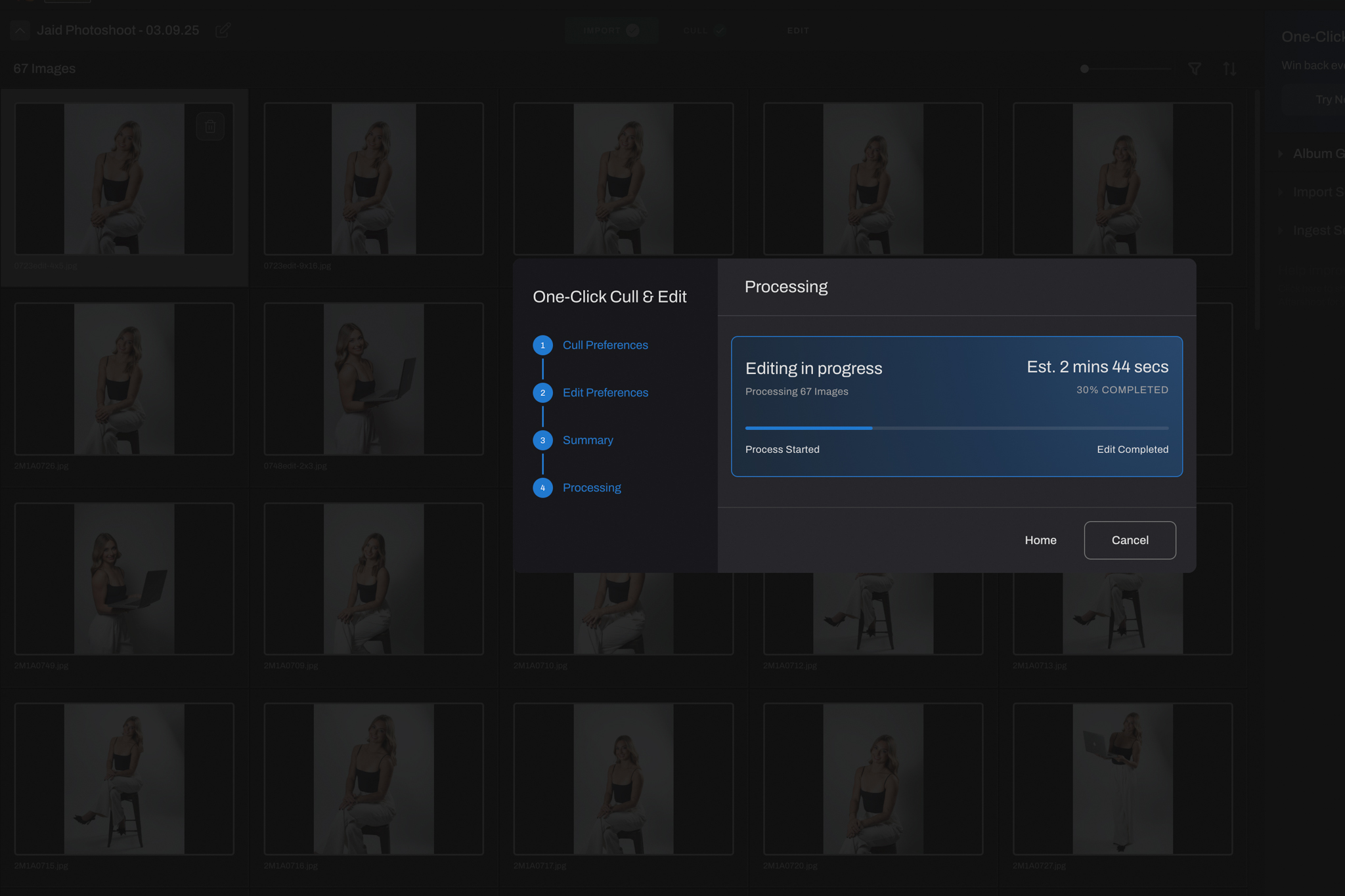
Aftershoot is an AI-powered photography workflow platform built around four major stages of post-production:
- Culling: Sorts large shoots, identifies duplicates and technical misses, and helps photographers narrow down their strongest images.
- Editing: AI-driven editing that can learn your personal style and apply it consistently across entire shoots, with additional manual RAW editing and masking controls when you want to refine the result yourself.
- Retouching: Handles repetitive portrait cleanup including skin, blemishes, stray hairs, clothing, and background corrections.
- Galleries: Extends the workflow into client delivery.
These tools are available inside one unified app, with workflows that connect to Lightroom and Capture One. Aftershoot can also perform much of its culling and editing workflow locally, which makes it useful when working while traveling or away from a reliable internet connection.

Why You Might Want To Use It?
If you shoot high-volume sessions such as weddings, portraits, or commercial work, Aftershoot can save you countless hours by automating the image culling process. With Aftershoot, you can sort through large photo sets in a fraction of the time it would take to review them manually. Its editing tool is equally impressive: it learns your unique editing style and applies your signature look consistently across entire shoots within minutes.
Why It’s Worth Trying
After using Aftershoot, here are my key takeaways, and why you should seriously consider adding it to your workflow:
- Time: Cull and edit thousands of images in minutes. If you want to shave hours off your post-processing, try Aftershoot with CLICKWITHSAL15 for 15% off.
- Consistency: Maintain your unique editing style across all projects.
- Flexibility: Works offline and integrates seamlessly with your existing tools.
- Price: Aftershoot now uses modular plans for Select, Edit, Retouch, or the Complete bundle. Image processing remains unlimited rather than being charged per image.
Special Offer for My Readers
Ready to streamline your editing process? Try Aftershoot with an exclusive 15% discount, just use promo code CLICKWITHSAL15 at checkout. It’s a simple step toward a more efficient and balanced photography workflow.
You can also explore how Aftershoot handles skin and detail work in my full Aftershoot Retouching review, it’s a valuable comparison for portrait and commercial editors.
The Photographer’s Touch Still Matters
In conclusion, let’s put into frame the right balance between the craft of photography and the power of AI. Some users have noted that Aftershoot may occasionally over-select similar burst images or miss emotionally significant moments. That’s why I always do a quick review after the AI completes its job. Think of Aftershoot as your reliable assistant, it handles the heavy lifting, but you make the final calls. That’s the right mindset to have with any AI-powered integration.
I highly recommend using AI to your advantage to become more efficient and productive. But remember, neither AI nor Aftershoot is meant to replace your creative eye. By automating the tedious parts of post-processing, you free up more time to focus on what truly matters: capturing stunning images and building meaningful connections with your clients. Give it a try and see how it can transform your workflow.
Take the first step toward a smarter workflow, use promo code CLICKWITHSAL15 at checkout to save 15% and see how Aftershoot can transform your editing process.
Affiliate Disclosure: Some links or promo codes in this article may earn us a commission if you buy through them, at no extra cost to you. That does not change our opinion. We recommend tools based on whether they actually fit the workflow.









Leave a Reply