
Dzine vs Photoshop is not a battle in our view. Framing it that way is lazy and completely misses where photography is actually heading. In our current photo editing workflow, we often use both. This is a leverage decision. It is photography without compromise, using AI without losing control.
If you’re curious to test Dzine for yourself, use code CLICKWITHSAL for 15% off your first plan. Make sure you click the link first to secure the discount.
Keep reading to see:
- What Dzine actually does better than Photoshop
- Where Photoshop is still untouchable
- Why combining them beats choosing sides
- Dzine pricing and which plan makes sense for photographers and creators
- How this workflow saves money versus Adobe credits
What Is Dzine?
Dzine is a browser-based AI editor. Read our full Dzine AI review to understand its features, creative potential, and practical applications. When it comes to photo editing, here are some core strengths for photographers:
- AI object removal and insertion
- Background generation and replacement
- Style transfer with consistency
- Character-aware edits (huge for branding)
- High-resolution exports (critical, more on this later)


Dzine is ideal if you:
- Shoot portraits, editorial, or conceptual work
- Need fast variations for clients or campaigns
- Want AI as a creative partner
- Value idea exploration
Photoshop Is Still Photoshop
Photoshop’s precision and capabilities remain unmatched. Adobe has integrated AI across Photoshop and the Firefly ecosystem with tools like Generative Fill, Generative Expand, AI Remove, and access to newer creative AI models, but Photoshop still prioritizes manual control. This isn’t a flaw; it’s what keeps Photoshop the gold standard. Stick with Photoshop alone if you:
- Do complex masking
- Rarely explore visual concepts
- Aren’t into AI-assisted ideation
Dzine vs Adobe Photoshop

| Dzine | Photoshop |
| Prompt-driven | Layer-driven |
| AI-native | Manual-first |
| Browser-based | Desktop powerhouse |
The real value lies in comparing Adobe Photoshop and Dzine pricing. Photoshop usually starts at around $20 per month, and the cost is likely higher once you factor in:
- AI model credit limits
- Add-on apps
- Storage tiers
With Dzine (we recommend the Creator plan for the best value) you get:
- Access to advanced AI models including Nano Banana Pro, Midjourney, and more
- Credit plans that give you greater creative freedom
- Cloud-based project management
- High-res export flexibility
Bonus for readers: Use code CLICKWITHSAL for 15% off your Dzine plan, click the link to apply it.
The Power Move


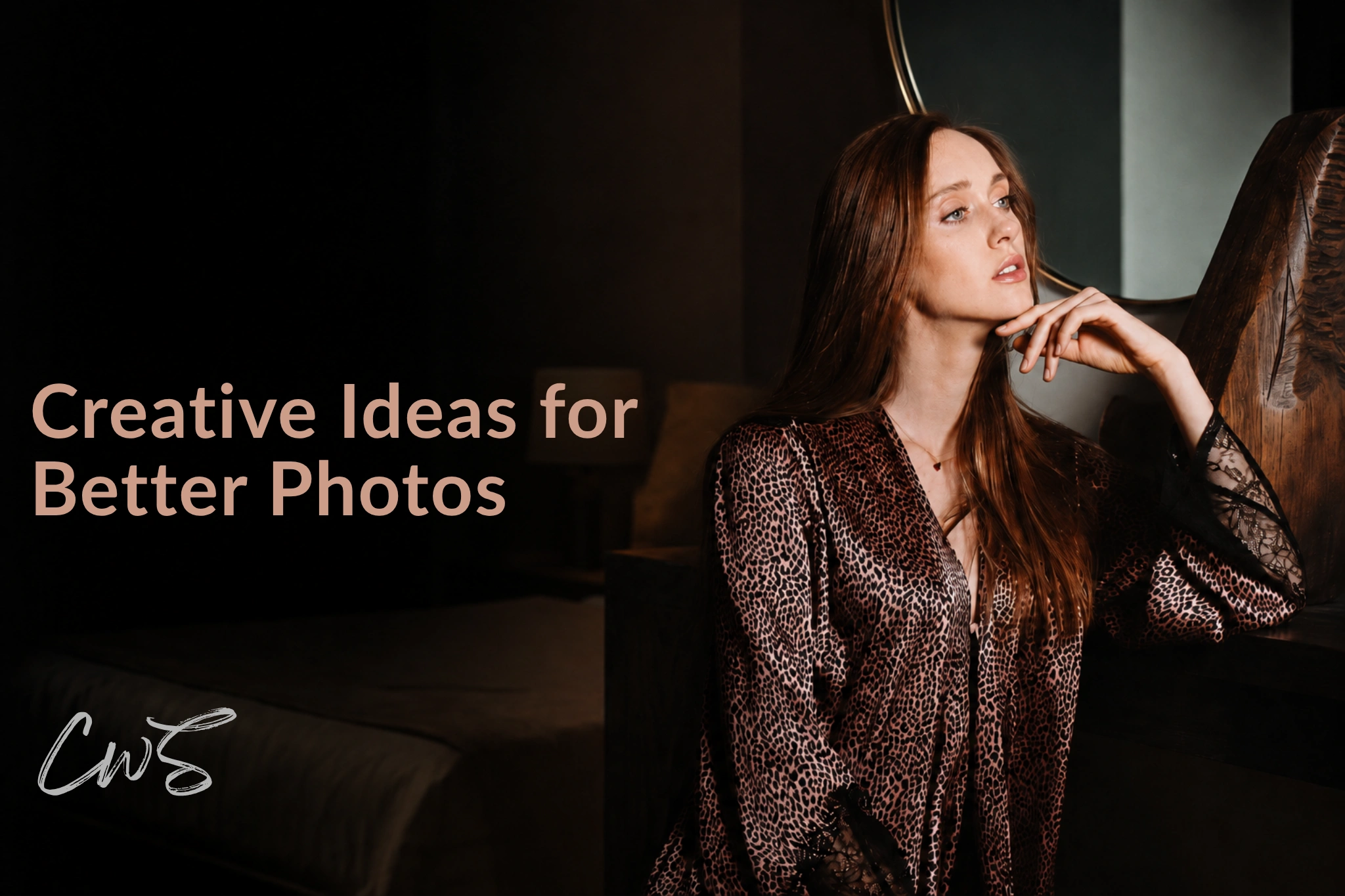
Here is the creative unlock when using Photoshop and Dzine together (all photographs in this article are real photos edited with both tools). The key to why this workflow works so well is that Dzine supports TIFF files and, unlike other AI image generation tools, allows exporting in high resolution. This is invaluable, especially when working with real photographs. With this approach, you can:
- Rework an image in Dzine
- Explore styles and backgrounds
- Export at full resolution
- Reopen in Photoshop for final refinement
This non-destructive Dzine and Photoshop workflow reduces time spent experimenting in Photoshop, preserves Adobe generative credits from burning too fast, and keeps Photoshop focused on what it does best.
Dzine vs Photoshop FAQs
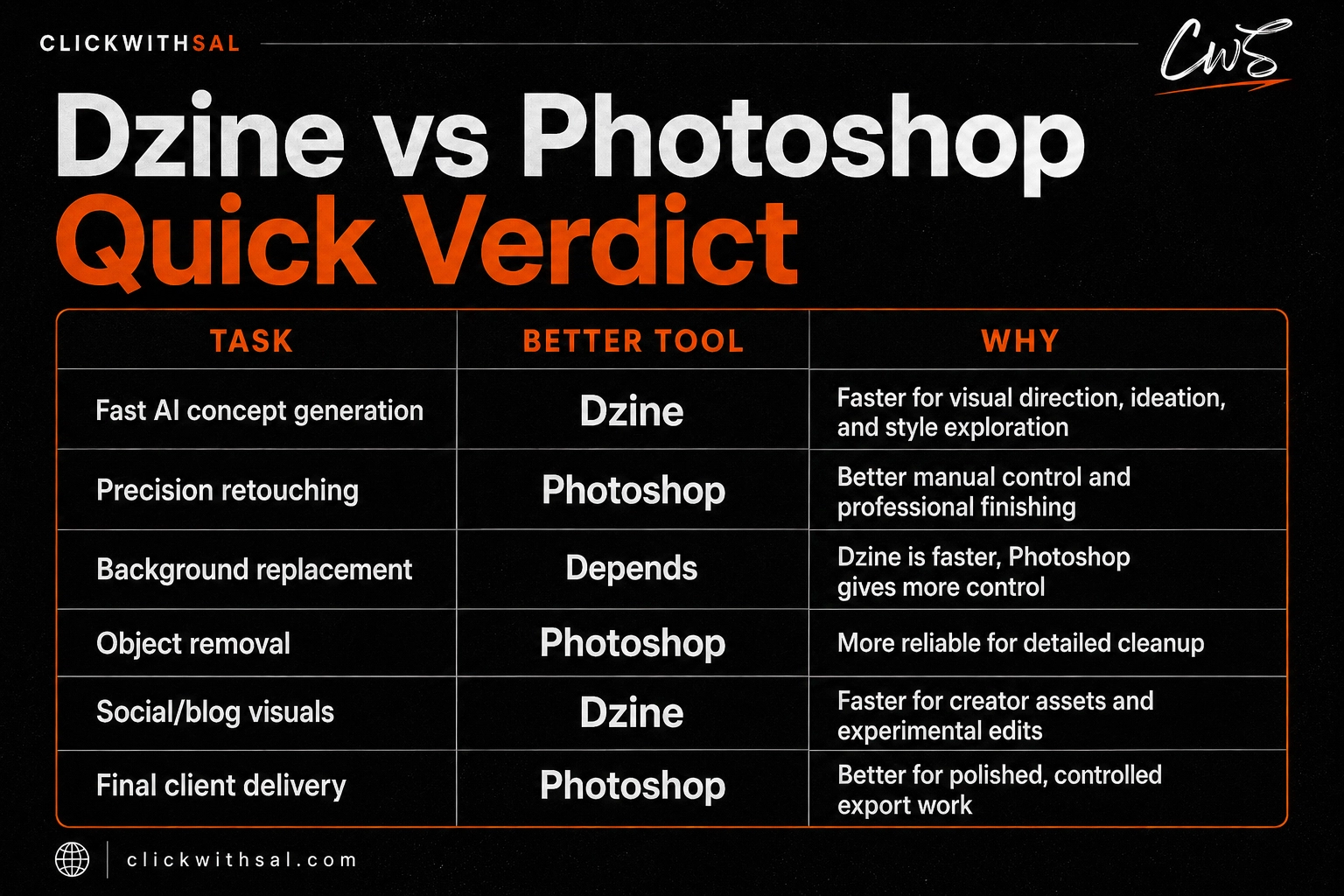
Dzine is better than Photoshop for fast AI concepting, background changes, style exploration, and creating visual variations from an existing idea. Photoshop is still better for precision editing, complex masking, retouching, layered files, and final polish.
Dzine can replace Photoshop for some quick AI edits, social graphics, background swaps, and creative experiments. It should not fully replace Photoshop if you need professional retouching, detailed masks, and advanced compositing.
Yes. Dzine is useful for photographers who want to test concepts, change backgrounds, explore AI-assisted styling, or push a real photo into a stronger visual direction.
Yes, that is the smarter workflow. Dzine is useful at the idea and variation stage, while Photoshop is stronger for final refinement. A practical workflow is to start with a real photograph, use Dzine to test backgrounds or AI-enhanced concepts, export the image, then reopen it in Photoshop for cleanup, color, masking, sharpening, and final delivery.
Key Takeaways
Dzine and Photoshop serve different creative phases, not opposing goals. Dzine accelerates ideation, variation, and AI-assisted exploration, while Photoshop remains essential for precision, refinement, and final polish. Used together, they form a workflow that is powerful, flexible, and cost-effective.
Affiliate Disclosure: Some links or promo codes in this article may earn us a commission if you buy through them, at no extra cost to you. That does not change our opinion. We recommend tools based on whether they actually fit the workflow.










Leave a Reply